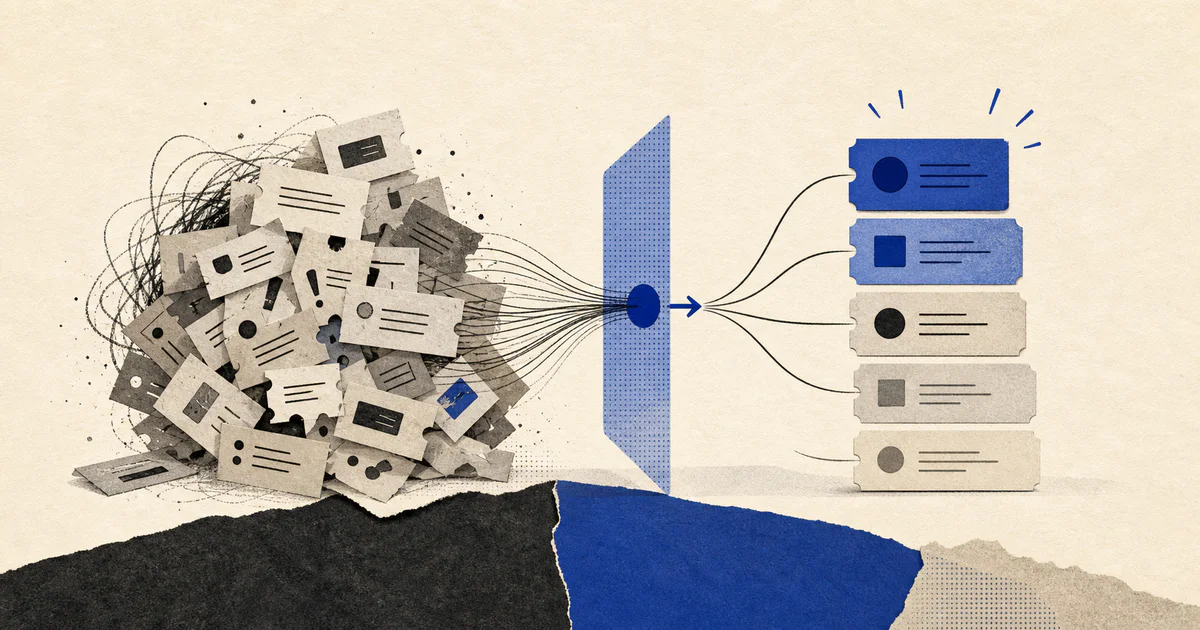
Support backlogs usually do not become dangerous because the team ignores customers.
They become dangerous because the queue treats too many tickets as roughly equal.
A low-value password reset sits near an outage report. A frustrated enterprise admin waits behind a batch of simple how-to requests. A churn-risk account sends a second message, but nobody connects it to the renewal owner or account history. By the time the team reacts, the damage is no longer just slower support. It becomes revenue risk, missed SLAs, and a worse customer experience.
That is the problem AI support backlog prioritization is meant to solve.
Short answer: AI support backlog prioritization uses ticket content, customer context, SLA rules, and business risk signals to rank the queue so the team handles the most important work first instead of simply working oldest to newest.
If your team is still trying to clean up classification and ownership, start with AI support triage systems and AI support ticket routing automation. If the bigger issue is high-risk cases getting stuck until leadership notices them, AI support escalation automation covers that layer. When companies need this connected across the help desk, CRM, product signals, and account workflows, it usually fits inside a broader AI workflow automation build.
What AI support backlog prioritization actually means
AI support backlog prioritization is a workflow that decides what should move first in the queue and why.
It does not just label tickets as "high" or "low."
It combines several inputs:
- the ticket's likely issue type
- customer tier and contract value
- SLA deadline pressure
- outage or product incident signals
- sentiment and frustration level
- account risk indicators from the CRM or customer success systems
- whether the ticket is safe for standard support handling or needs cross-functional attention
The useful output is a ranked work queue with reasons attached.
Support leads should be able to see:
- which tickets need immediate action
- which tickets can wait
- which tickets need escalation
- which tickets are risky because the system is uncertain
If the ranking cannot be explained, the team will not trust it.
Why backlog prioritization breaks in growing support teams
Most teams begin with basic priority rules.
That works for a while.
Then the business gets more complex:
- more customer segments
- more products
- more support channels
- more contractual response commitments
- more cross-functional dependencies with engineering, billing, and customer success
At that point, the backlog becomes harder to manage because importance is no longer obvious from the ticket text alone.
A message that looks simple might belong to:
- a strategic account
- a customer near renewal
- an active incident
- a finance-sensitive billing dispute
- a product issue that already triggered similar complaints
This is why support teams often feel like they are "working the queue" while still missing the work that mattered most.
What should an AI backlog prioritization workflow score?
The model should not produce one mysterious priority number and call the job done.
It should score the queue against clear operational factors.
1. Customer impact
How severe is the issue for the customer?
Examples:
- blocked workflow
- repeated failed task
- billing error
- missing access
- general product question
Severity should reflect customer pain, not just emotionally strong wording.
2. Business impact
Some tickets affect the business more than others.
Useful signals include:
- plan tier or contract value
- account renewal timing
- open expansion opportunity
- strategic logo status
- number of affected users
This is where support operations connect to AI customer health scoring and AI renewal automation. The queue should not act as if every customer situation is commercially identical.
3. SLA and aging pressure
The queue needs to know not only what is important, but what is becoming urgent because time is running out.
Useful inputs:
- first-response deadline
- resolution deadline
- time since last human update
- number of reopen events
- whether the ticket has already bounced between teams
Without aging pressure, the system can over-focus on obviously severe tickets and quietly let many medium-risk tickets decay.
4. Routing complexity
Some tickets are slow not because they are important, but because they are likely to get mishandled.
Examples:
- billing plus product issue
- support plus customer success coordination
- bug report requiring engineering summary
- account complaint tied to procurement or legal pressure
This is exactly where AI support QA automation and routing discipline matter. A queue should reflect not just severity, but the operational cost of getting the next step wrong.
5. Confidence and ambiguity
A production system must admit uncertainty.
If the model is unsure whether a ticket is low-risk or urgent, that uncertainty should raise visibility instead of being hidden.
Good outputs include:
- recommended priority
- confidence level
- reasons for the ranking
- review requirement when confidence is low
How to prioritize a support backlog with AI in practice
The first version should be narrow, inspectable, and tied to real queue decisions.
Step 1. Classify the ticket and identify likely intent
The workflow starts by determining what kind of request it is.
Typical categories include:
- billing
- bug report
- outage or degraded performance
- onboarding question
- account access
- feature request
- product how-to
This foundation usually comes from the same system described in AI support triage systems.
Step 2. Pull customer and account context
The system should enrich the ticket before it is ranked.
That often includes:
- plan tier
- ARR or contract value
- account owner
- renewal window
- health score
- recent escalations
- recent product incidents affecting the account
This is one reason simple chatbot layers fail. They look only at the message and ignore the business context that determines real priority.
Step 3. Apply business scoring rules
After enrichment, the workflow should combine AI interpretation with explicit business rules.
For example:
- outage plus strategic account plus SLA risk -> move to top queue
- billing dispute plus renewal within 30 days -> urgent review
- low-tier how-to request with no blocker language -> normal queue
- repeated reopened bug affecting multiple users -> fast-track technical review
This is where an AI system becomes operationally useful instead of merely descriptive.
Step 4. Generate a ranked queue with reasons
Each ticket should carry a short explanation such as:
- blocked admin workflow for enterprise account with response SLA due in 22 minutes
- reopened billing issue for renewal-risk customer with negative sentiment
- standard setup question with low business impact and no SLA breach risk
That explanation helps leads audit the queue and coach the team.
Step 5. Trigger the next action automatically
Priority should change workflow, not just reporting.
Possible actions:
- assign the ticket to a priority queue
- page an incident or engineering owner
- notify the account manager
- draft a response for support review
- create an escalation object
- mark the item for manual review
If the queue ranking does not produce action, it becomes another dashboard nobody uses.
What to automate first
Do not try to optimize every support scenario on day one.
Start where ranking quality produces obvious operational lift.
Highest-value first cases
- outage-related tickets
- billing disputes
- VIP or enterprise account issues
- reopened tickets
- tickets close to SLA breach
- tickets from customers in onboarding or renewal windows
Those cases usually create the biggest gap between "oldest ticket first" and "most important ticket first."
What should stay human?
AI should recommend queue order and surface risk.
Humans should still decide:
- whether a strategic customer needs executive visibility
- whether the issue justifies an exception to the normal queue
- whether an account signal is serious enough to involve success or sales
- whether an emotionally charged message reflects real product severity or just frustration
The goal is not to remove judgment.
The goal is to make judgment faster and better informed.
Common mistakes in AI support backlog prioritization
Using one generic priority score
A single score with no explanation creates distrust. Teams need visible factors like SLA pressure, revenue risk, customer impact, and confidence.
Treating sentiment as the same thing as urgency
An angry message may be low severity. A calm message from an enterprise admin during a deployment outage may be far more urgent.
Ignoring queue aging
Backlog quality degrades over time. If time-based decay is missing, the system will keep promoting fresh dramatic tickets while older important work quietly slips.
Ranking without ownership changes
If the system marks something urgent but does not notify the right people or move the work into the right queue, nothing actually improves.
Automating before the support model is stable
If your categories, SLAs, or escalation paths are still changing weekly, automation will amplify the confusion. Stabilize the operating model first.
How to measure whether backlog prioritization is working
The point is not to prove the model sounds intelligent.
The point is to prove the queue is healthier.
Useful metrics include:
- SLA breach rate
- median time to first meaningful human action
- backlog size by priority band
- percent of urgent tickets handled within target
- false-high and false-low priority rates
- reopen rate for prioritized tickets
- CSAT for high-risk cases
- percent of escalations caught before customer complaint volume spikes
If those metrics improve, the workflow is doing its job.
When is AI support backlog prioritization worth building?
It is usually worth building when:
- the queue is large enough that agents cannot reliably spot the most important work manually
- support, success, and engineering handoffs are causing delays
- the team has multiple SLA tiers or customer segments
- leadership discovers important tickets too late
- backlog growth is creating real retention or revenue risk
If your queue is still small and handled by a few people who share context naturally, you may not need this yet.
But once ticket volume, customer segmentation, and cross-functional dependencies start compounding, manual prioritization stops scaling well.
FAQ
What is AI support backlog prioritization?
AI support backlog prioritization is a workflow that ranks support tickets using issue severity, SLA pressure, customer context, and business risk so teams work the most important cases first.
How is backlog prioritization different from support ticket routing?
Routing decides who should handle a ticket. Prioritization decides how urgently the ticket should move relative to everything else in the queue. Strong systems usually do both.
Should AI automatically decide ticket priority with no human review?
No. AI should recommend priorities and explain them. Human leads should still review edge cases, strategic accounts, and low-confidence rankings.
What data makes AI prioritization more accurate?
The most useful inputs are ticket text, SLA rules, account tier, renewal timing, product incident status, reopen history, and ownership context from the CRM or customer systems.
When should a company not build this yet?
Do not build it first if your support taxonomy, SLA rules, or escalation paths are still undefined. Clean up the operating model before you automate it.