AI Support Escalation Automation: How B2B Teams Move High-Risk Tickets Faster

By V12 Labs10 min read
#AI support escalation automation#support escalation automation#customer escalation workflow#engineering escalation automation#AI support operations

Support problems often do not get worse because the first reply was weak.

They get worse because the issue should have escalated earlier and did not.

A bug report sits in general support too long before engineering sees it. A frustrated enterprise customer gets a polite reply but no account-owner involvement. A repeated outage complaint is treated like a normal ticket instead of a coordination problem. By the time the right people engage, the customer has already absorbed the delay.

That is the operational problem AI support escalation automation is meant to solve.

If your team is still cleaning up basic intake, start with AI support triage systems and AI support ticket routing automation. Escalation automation sits one layer deeper: it decides when a ticket should break out of normal queue handling and trigger higher-stakes internal action.

What AI support escalation automation actually means

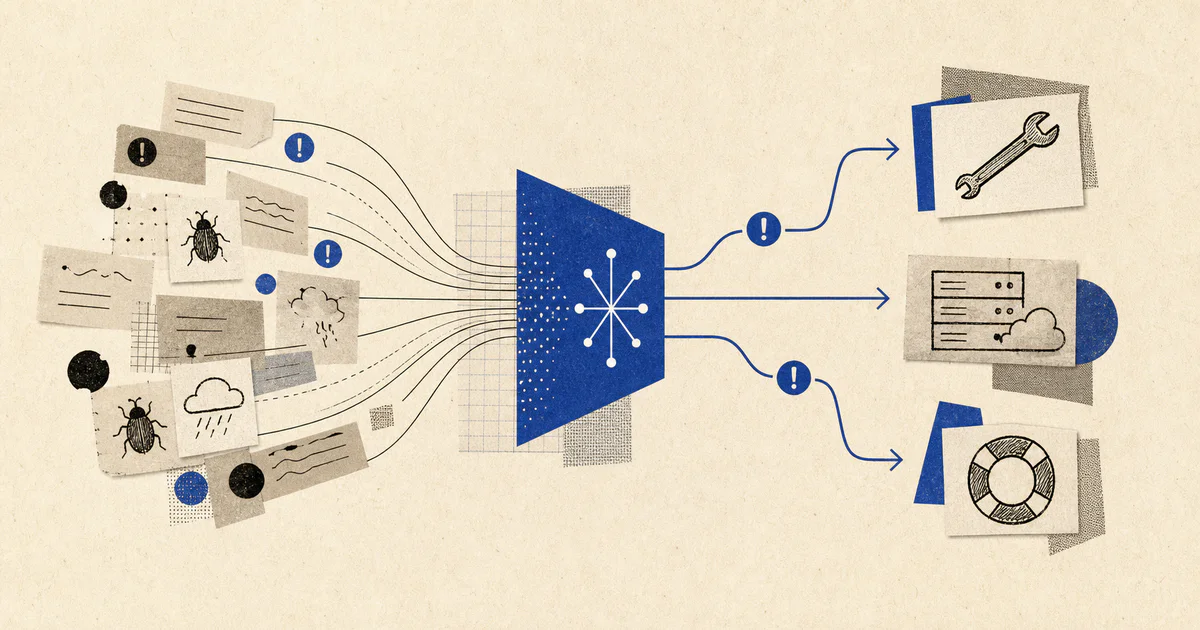
AI support escalation automation is the use of AI inside support operations to identify requests that need non-standard treatment and move them to the right people with usable context.

In practice, that usually means the system helps answer:

  • should this stay in the normal support queue
  • does this require engineering, billing, security, success, or leadership attention
  • how urgent is the escalation
  • what evidence supports the escalation
  • which account context matters immediately
  • what action should happen next

This is not the same as a support chatbot.

It is not the same as ticket routing either.

Routing decides the likely owner for a new request. Escalation decides when a request has crossed a threshold where ordinary handling is no longer enough.

That distinction matters because many expensive support failures happen after the ticket was technically "assigned," but before the business recognized the broader risk.

Why escalation is a separate workflow from routing

Many teams assume routing and escalation are one problem.

They are related, but they are not identical.

A routing system might classify a ticket as:

  • product bug
  • billing issue
  • onboarding question
  • account access request

An escalation system asks a different set of questions:

  • is this bug affecting a high-value account or multiple customers
  • is the billing dispute tied to renewal or churn risk
  • is the onboarding blocker preventing go-live this week
  • does this access issue indicate a security concern
  • is this customer language severe enough to trigger executive visibility

That is why escalation logic needs more than category labels.

It needs account context, business thresholds, and explicit rules for what deserves a faster or broader response.

The best support escalation problems to automate first

Do not start by trying to automate every possible exception in the business.

Start where the cost of delayed escalation is obvious and the next action is clear.

1. Engineering bug escalation

This is one of the cleanest starting points.

Support teams often see credible bug signals before engineering does, but the handoff quality is inconsistent. Some reports are vague. Some are duplicates. Some have just enough detail to matter, but not enough structure to trigger urgency.

An AI escalation workflow can:

  • detect likely product defects
  • pull account, environment, and plan context
  • group repeated symptoms across tickets
  • extract reproduction clues from customer language
  • prepare an internal escalation summary
  • route urgent cases into the right engineering or incident lane

This reduces the lag between "customer is reporting a problem" and "the right technical owner has a credible issue packet."

2. Enterprise and revenue-risk account escalation

Not every support request carries the same business weight.

An annoyed free user and a frustrated enterprise champion should not move through the same workflow.

An escalation workflow can combine ticket content with:

  • account tier
  • contract value
  • renewal timing
  • expansion potential
  • stakeholder seniority
  • recent success or support history

That lets the system flag requests where the operational response needs more than an agent reply. It may need a CSM, AE, founder, or support lead involved quickly.

This is where support operations start overlapping directly with AI customer success automation and AI renewal automation.

3. Incident and outage pattern detection

Many teams do not escalate the first ticket. They escalate after enough similar tickets pile up that the pattern becomes obvious.

That delay is expensive.

AI can help detect:

  • multiple tickets describing the same failure mode
  • sudden volume spikes for one feature area
  • language consistent with service degradation
  • account clusters affected by the same issue
  • tickets linked to a current deploy or incident window

This is less about answering customers and more about protecting the business from slow incident recognition.

4. Billing, compliance, and security exceptions

Some tickets are sensitive because the wrong action has legal, financial, or trust implications.

Examples:

  • disputed invoices from strategic accounts
  • requests involving refunds outside policy
  • suspicious access or impersonation signals
  • data deletion or privacy requests
  • contract-commitment questions support should not answer alone

These are ideal escalation candidates because the workflow should be conservative by design. The goal is not autonomy. The goal is fast, structured handoff with clear evidence.

5. Onboarding blockers that threaten time-to-value

Many high-risk support tickets are not really support problems.

They are onboarding failures showing up in the support queue.

If a new account cannot configure SSO, complete integration steps, or reach first value, the right internal owner may be onboarding, success, or implementation rather than general support.

This is the support-side entry point into AI customer onboarding systems.

What a production escalation workflow looks like

For most B2B teams, the first useful version is inspectable and fairly narrow:

  1. A ticket arrives from Zendesk, Intercom, email, or Slack.
  2. The workflow classifies issue type and checks escalation signals.
  3. The system pulls account, revenue, product, and history context.
  4. AI produces an escalation recommendation with confidence and rationale.
  5. Deterministic rules apply thresholds such as account tier, severity, or incident count.
  6. The system creates the right escalation artifact: engineering summary, CSM alert, leadership flag, billing review, or security review.
  7. Outcomes are logged so the team can measure whether escalations were timely and useful.

That structure is important.

Many teams jump from "model thinks this looks bad" straight to autonomous workflow branching. A better pattern is to keep the escalation recommendation visible, attach supporting evidence, and make the downstream action easy to approve, inspect, or correct.

The data sources that make escalation quality better

Ticket text alone is not enough.

Useful escalation systems usually read from several sources:

  • help desk tags, queues, and prior tickets
  • CRM account data
  • contract tier and renewal dates
  • product usage or incident telemetry
  • call notes and success history
  • open engineering incidents
  • billing status
  • stakeholder and owner metadata

This is why escalation automation is an operations systems problem, not just a prompt problem.

Without context, the model may spot frustration but miss whether the issue matters to a $2,000 account or a $200,000 one.

What to measure before and after launch

If you want support escalation automation to improve, you need explicit metrics.

Track at minimum:

  • time from ticket creation to escalation decision
  • time from escalation decision to owner acknowledgment
  • percent of escalations later marked unnecessary
  • percent of missed escalations discovered manually
  • time to engineering engagement for validated bugs
  • percent of revenue-risk accounts flagged in time
  • support-agent acceptance of escalation recommendations

These metrics tell you whether the system is reducing operational delay or just adding another layer of review.

Common mistakes in support escalation automation

The failures are usually workflow failures, not model failures.

Treating escalation like sentiment detection

A customer sounding angry does not automatically mean the issue should escalate.

Likewise, some critical problems are reported calmly.

Escalation should consider business impact, account importance, workflow stage, and operational evidence, not just emotional tone.

Escalating without a clear owner

If a workflow can detect urgency but not assign accountable next steps, it creates noise instead of leverage.

Every escalation path should map to a real owner:

  • engineering
  • support lead
  • success
  • account owner
  • finance
  • security

Without that, teams get alerts but not resolution.

Hiding the evidence

Humans will not trust escalation flags they cannot inspect.

The system should show why it escalated:

  • account is within 30 days of renewal
  • three similar bug reports arrived in 20 minutes
  • customer mentioned outage plus executive sponsor
  • onboarding milestone is blocked for a high-value account

That is much more useful than "priority score: 0.91."

Automating sensitive actions too early

The first version does not need to auto-page leadership or create incident severity labels on its own.

A safer first step is:

  • detect likely escalation
  • assemble the evidence
  • recommend the next owner
  • create the internal summary
  • let a human confirm the highest-risk step

A practical example

Imagine a SaaS company with 2,000 support tickets per month, a mix of self-serve and enterprise customers, and a small support team that also handles onboarding spillover.

Before escalation automation:

  • bug reports reach engineering with inconsistent context
  • enterprise complaints depend on rep memory for urgency
  • repeat outage signals are recognized late
  • support closes tickets that should have triggered success follow-up
  • leadership only hears about major account risk after trust is already damaged

After AI support escalation automation:

  • the workflow detects likely engineering-worthy bugs and prepares structured summaries
  • high-value accounts near renewal trigger immediate success visibility
  • related incident-like tickets are clustered early
  • onboarding blockers route to implementation owners instead of sitting in general support
  • low-confidence edge cases are held for review instead of being silently mishandled

The result is not "AI replaces escalation managers."

The result is faster recognition, cleaner handoff, and better internal response quality.

When this workflow is worth building

AI support escalation automation is usually worth building when:

  • support and engineering handoffs are slow
  • high-value accounts do not get differentiated handling
  • incident recognition depends on manual pattern spotting
  • success or renewal risk is discovered too late
  • billing or security exceptions are increasing
  • support volume is growing faster than the team’s coordination capacity

If your support queue is still very small, basic triage and routing may matter more first.

If the queue already exists and the main pain is delayed internal response on the hardest cases, escalation automation is often one of the highest-leverage next steps.

FAQ

What is AI support escalation automation?

It is an AI workflow that detects support cases needing non-standard internal response, gathers evidence and account context, and routes them to the right escalation owner faster.

How is escalation automation different from ticket routing?

Ticket routing decides the likely queue or owner for new requests. Escalation automation decides when the ticket needs a higher-stakes path such as engineering, success, security, or leadership attention.

What is the best first use case for support escalation AI?

Engineering bug escalation is often the best first use case because the business cost of slow handoff is clear and the workflow outcome is easy to inspect.

Does AI support escalation automation replace human judgment?

No. The strongest systems help detect risk, gather context, and recommend next steps. Final judgment on sensitive escalations should still remain human-controlled.

Escalation is where support becomes cross-functional

The support queue is often the first place a broader business problem becomes visible.

That is why escalation deserves its own workflow design.

When implemented well, AI support escalation automation helps teams detect high-risk cases earlier, hand them off with better context, and protect customer trust before delay turns into churn or internal fire drills.

If your team is seeing the same pattern, our AI solutions team builds production workflows that classify, escalate, and operationalize support work inside the tools teams already use.