AI agents are supposed to give teams time back. In practice, many teams are discovering a less exciting pattern: someone still has to feed the agent context, check the work, move data between systems, fix mistakes, and explain why the output cannot be trusted yet.
That work now has a name: botsitting.
Glean's 2026 Work AI Index reported that workers spend 6.4 hours a week botsitting AI. Salesforce's 2026 State of Sales report says AI agent adoption is moving fast, with 54% of sellers already using agents and nearly 9 in 10 planning to by 2027. Gartner also expects agentic AI to reshape enterprise software spending, with up to $234 billion of SaaS spend exposed to agentic AI by 2030.
So the market is not waiting. AI agents are already entering revenue, support, operations, and customer workflows.
The problem is that most teams are buying or building agents before they have designed the workflow around them.
Short answer: if an AI agent needs a human to constantly prepare context, verify output, update systems, and recover from errors, the team did not automate a workflow. It created a new supervision job. The fix is not a smarter prompt. The fix is an AI workflow system with defined inputs, tool access, approval points, logs, monitoring, and clear ownership.
This is the difference between a demo and operational leverage.
What botsitting looks like inside a revenue team
Botsitting does not always look like failure. Sometimes the agent technically works.
It drafts the email. It summarizes the call. It suggests the next step. It checks the account notes. It writes a CRM update. It pulls a few facts from a document.
But the human still has to do the real operational work around it:
- paste customer context from Salesforce, HubSpot, Zendesk, Gong, Slack, or email
- ask the same question again because the first answer missed account context
- compare AI output against the actual conversation
- clean up the draft before sending it to a customer
- copy the final answer into another system
- decide whether the workflow should continue, pause, escalate, or assign
- repair mistakes after the agent touched the wrong record or used stale information
The team may feel faster for individual tasks, but the operating flow is still manual.
That is why AI can save time locally while failing to improve the business globally. A rep gets help writing an email, but the manager still does not know which deals are blocked. A support lead gets a summary, but the escalation path still depends on someone noticing risk. A customer success manager gets renewal notes, but the usage signal still does not trigger a clean action.
The work did not disappear. It moved into review, cleanup, coordination, and system maintenance.
Why agents become supervision work
Most botsitting comes from a few predictable design mistakes.
1. The agent has no stable business context
Revenue work depends on context. A lead score is different if the company is a target account. A support complaint is different if the customer is up for renewal. A renewal risk is different if the champion just left. A handoff is different if implementation already promised custom work.
When the agent does not have durable access to the right customer, account, product, contract, usage, and conversation data, the human becomes the context loader.
That is not automation. That is a faster search box with extra cleanup.
2. The workflow is not defined before the agent is added
Many teams start with the question, "What can an AI agent do here?"
The better question is, "What should happen when this inbound workload arrives?"
For example:
- Should this lead be enriched, scored, assigned, and followed up?
- Should this support ticket be answered, routed, escalated, or held for review?
- Should this renewal risk create a customer success task, manager alert, or save plan?
- Should this RFP be qualified, summarized, assigned, or declined?
If the workflow rules are unclear, the agent will make vague suggestions instead of driving reliable action.
3. Tool access is either too weak or too broad
An agent that cannot write to the CRM, update the support desk, create tasks, or notify owners leaves the human doing the final mile.
But an agent with broad write access creates a different problem: teams stop trusting it.
Production AI systems need scoped permissions. The agent should only do the actions the workflow allows. In many cases, it should draft the action first, explain the evidence, and wait for approval before writing to a system of record.
Useful tool access is not "let the agent use everything." It is "let this workflow perform these actions under these rules."
4. There is no exception path
Real revenue workflows have edge cases.
A lead may be high intent but a bad fit. A ticket may look simple but involve a security issue. A renewal account may show low usage but have a known procurement delay. A sales handoff may look complete but miss a required implementation note.
If the agent has only one path, humans will babysit it forever.
An AI workflow system needs clear exception states:
- low confidence
- missing data
- policy conflict
- customer risk
- ambiguous ownership
- approval required
- failed integration
These states are what make the system operational. Without them, every unusual case becomes a manual rescue.
5. Success is measured at the task level, not the workflow level
It is easy to measure whether AI drafted an email faster.
It is harder, and more useful, to measure whether the workflow improved:
- time to first response
- lead response SLA
- percent of qualified leads routed correctly
- number of escalations caught before customer follow-up
- renewal risks reviewed before the deadline
- support tickets audited against policy
- CRM fields updated without manual cleanup
- manager review time per exception
If the metric is "the agent generated something," the system will optimize for output. If the metric is "the operating flow moved correctly," the system will optimize for business value.
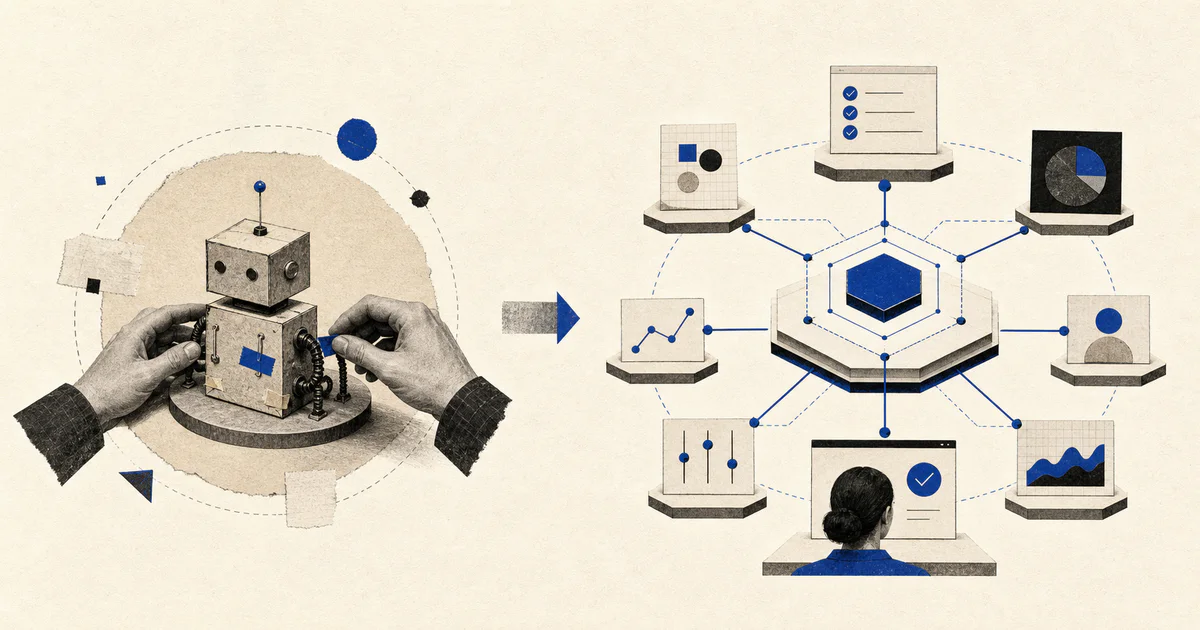
The better pattern: AI workflow systems
An AI workflow system is not just an agent. It is the operating layer around the agent.
It takes messy inbound work and turns it into structured action:
- read the incoming request, ticket, call, form, email, or account signal
- retrieve relevant business context
- classify the work
- score urgency, fit, risk, or value
- summarize the evidence
- decide the next allowed action
- draft the response or update
- route to the right owner
- ask for approval when needed
- update the source systems
- log what happened
- monitor outcomes and failures
The agent may perform parts of this workflow, but the workflow is the product.
That distinction matters. A loose agent creates a new place to ask for help. A workflow system changes how work moves through the company.
If you are evaluating an AI project, ask whether it owns a real operating path:
- What starts the workflow?
- What data does it need?
- What decision does it make?
- What systems does it update?
- When does a human review it?
- What happens when confidence is low?
- How do we know it worked?
If those answers are missing, the team is probably about to build another botsitting surface.
Example: inbound lead workflow
Take a common revenue operations problem: inbound leads arrive from website forms, partner referrals, webinars, LinkedIn, and email. The team wants faster follow-up, cleaner qualification, and better routing.
A basic AI agent might summarize the lead and draft an email.
That helps, but it still leaves humans doing the work:
- enrich company data
- check whether the account already exists
- review fit
- decide priority
- assign the owner
- update the CRM
- write the first response
- create follow-up tasks
- alert sales if the lead is urgent
An AI workflow system would handle the operating flow:
- Capture the lead from the source channel.
- Enrich the company and contact.
- Check CRM history and duplicate accounts.
- Score fit, urgency, and intent.
- Summarize the evidence behind the score.
- Route the lead to the right owner.
- Draft a personalized first response.
- Create the CRM activity and next task.
- Escalate high-value or ambiguous leads for approval.
- Track response time and conversion by workflow outcome.
The human is still involved, but their role changes. They are no longer moving data between systems or asking the agent to try again. They are reviewing exceptions, approving sensitive actions, and improving the workflow rules.
That is a meaningful shift.
Example: renewal risk workflow
Customer success teams face a similar problem. A customer may show multiple risk signals before renewal:
- usage drops
- support tickets increase
- champion engagement falls
- executive sponsor goes quiet
- implementation milestones slip
- billing or procurement questions appear
- NPS or survey sentiment declines
A loose AI agent can summarize these signals if someone asks.
An AI workflow system watches for them and creates an operating response:
- detect risk signals from product, CRM, support, and communication tools
- classify the risk type
- summarize supporting evidence
- draft a save-plan brief
- create a customer success task
- alert the account owner
- require manager review for high-value accounts
- track whether the save-plan action happened
The value is not the summary. The value is that the account does not sit unnoticed until the renewal call.
What to build before adding more agents
Before adding another AI agent to a revenue workflow, map the workload.
Start with one recurring inbound workload, not the whole department.
Use this checklist:
- What volume hits this workflow each week?
- Who owns it today?
- What systems contain the needed context?
- What decisions are currently repetitive?
- What actions are safe for AI to draft?
- What actions are safe for AI to perform automatically?
- What actions require approval?
- What are the common exception cases?
- What failure would create customer, revenue, compliance, or trust risk?
- What metric proves the workflow improved?
The best first use cases are not always the flashiest. They are usually high-volume, rule-heavy, context-dependent workflows where humans spend too much time reading, deciding, updating, and following up.
Good candidates include:
- inbound lead qualification
- sales to customer success handoff
- support ticket triage
- support QA review
- renewal risk monitoring
- RFP intake and qualification
- customer onboarding task routing
- account research and meeting prep
These workflows have enough repetition for automation, enough context for AI to be useful, and enough business value to justify doing it properly.
The real question: who owns the workflow?
AI agents often fail because nobody owns the operating system around them.
The vendor owns the model. IT may own access. RevOps may own the process. Sales or CS may own the outcome. Legal or security may own the risk. But unless someone owns the actual workflow, the agent becomes a shared experiment that nobody fully trusts.
For production use, assign a workflow owner.
That owner should define:
- input sources
- required context
- allowed actions
- approval rules
- escalation paths
- success metrics
- review cadence
- failure handling
This does not need to become a six-month transformation program. In fact, it should not. The practical path is to pick one expensive manual workflow, run a focused diagnostic, ship a scoped workflow sprint, and measure the result.
That is how teams move from AI usage to operational leverage.
Stop adding botsitting surfaces
The next wave of AI adoption will not be won by teams with the most agents.
It will be won by teams that know where agents belong inside real workflows.
If the agent needs constant prompting, correction, context loading, and cleanup, the team has not automated the work. It has created another place where work gets stuck.
The goal is not to make employees manage more AI tools. The goal is to help the same team handle more inbound work with better routing, faster response, cleaner system updates, and clearer exception handling.
That requires AI workflow systems, not loose agents.
Start with one workflow. Map the inputs, decisions, tools, approvals, and failure states. Then let AI handle the repeatable knowledge work inside that operating flow.
That is how AI stops becoming something your team has to babysit and starts becoming part of how the business runs.