Support teams usually do not have a ticket volume problem only.
They have a review coverage problem.
A QA lead may want to inspect whether agents followed policy, used the right tone, handled refunds correctly, escalated technical issues on time, and documented the case clearly. But once the queue gets large, most teams review a small sample and hope it represents the whole operation. That leaves too many missed coaching issues, too many scoring arguments, and too little visibility into where support quality is actually slipping.
That is the real problem AI support QA automation solves.
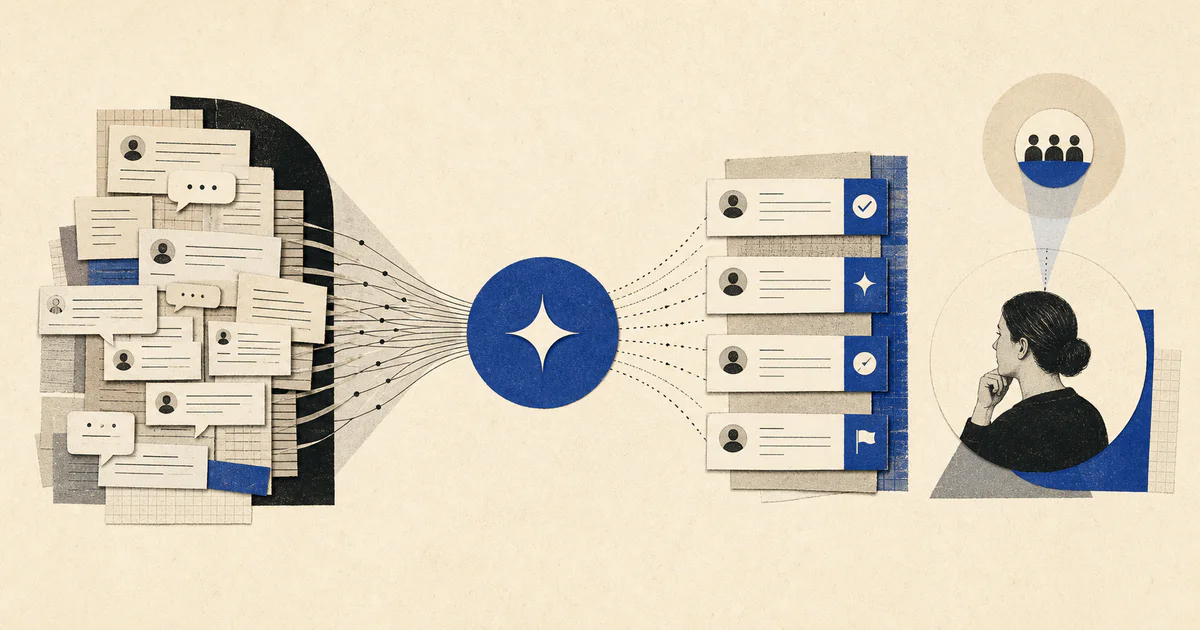
Short answer: AI support QA automation reviews support conversations against defined quality rules, flags likely misses, explains why the ticket was flagged, and sends the right cases to a human reviewer so teams can inspect more work without trusting blind automation.
If your bigger issue starts before QA, look at AI support triage systems, AI support ticket routing automation, and AI support escalation automation. QA automation sits downstream of those workflows and helps leaders verify that the support system is actually producing better outcomes.
What AI support QA automation actually means
AI support QA automation is a workflow that reviews support interactions after or during handling, compares them against clear QA criteria, and prepares a human-review queue with evidence.
In practice, the system usually:
- reads ticket threads, chat transcripts, call summaries, macros, and internal notes
- checks for policy adherence, troubleshooting quality, resolution completeness, empathy, and escalation behavior
- flags conversations that look risky, inconsistent, or coachable
- drafts a QA summary with evidence tied to the scorecard
- routes high-confidence passes and high-risk failures into different review paths
- tracks recurring patterns across agents, issue types, teams, and channels
The useful output is not an automatic grade by itself.
The useful output is a structured review layer that helps support leaders see where quality is breaking, where coaching is needed, and where the scorecard itself needs to change.
Why support QA breaks as volume grows
Most support teams want consistent quality. They just cannot inspect enough work manually.
The underlying problems are predictable:
- only a small percentage of tickets get reviewed
- reviewers apply the scorecard inconsistently
- policy issues appear across hundreds of conversations before anyone notices a pattern
- escalations get judged by outcome instead of whether they were triggered at the right time
- managers spend more time scoring than coaching
This is why support QA often becomes reactive.
The team only finds a quality problem after a customer complaint, an executive escalation, or a bad trend in CSAT.
That is also why this usually belongs inside a broader AI workflow system or AI solutions engagement. The value is not one model reading tickets. The value is a repeatable operating system for review, exceptions, coaching, and improvement.
What should an AI ticket review workflow check?
A useful support quality assurance automation workflow should inspect a small set of concrete questions, not vague ideas about whether the agent sounded good.
1. Was the customer issue actually understood?
The workflow should check whether the reply addressed the real problem, not just the first visible symptom.
That includes signals like:
- whether the agent restated the issue accurately
- whether key account or product context was ignored
- whether the troubleshooting path matched the request type
- whether the resolution left an obvious gap
2. Did the agent follow policy and process?
This is one of the highest-value use cases.
Support teams often need QA coverage on:
- refund or credit policy
- security and privacy handling
- authentication or account access steps
- SLA commitments
- escalation triggers
- required documentation
AI is useful here because it can compare real ticket text against specific decision rules at scale.
3. Was the tone appropriate for the case?
Tone review matters, but it should not become the only category.
A good workflow can flag when a response was:
- too abrupt for a frustrated customer
- overly generic in a high-stakes situation
- missing ownership language
- inconsistent with brand or support guidelines
The team should still calibrate this category carefully because tone is more subjective than policy or process.
4. Was the escalation path handled correctly?
Support quality is not only about solving the ticket inside the first queue.
Sometimes the correct move is to escalate.
The workflow should identify:
- whether the issue should have been escalated sooner
- whether the escalation included enough technical context
- whether the wrong team received the case
- whether the agent kept ownership after escalation where required
That connects directly to AI support escalation automation. Escalation workflows move work. QA workflows check whether that movement happened well.
What are the best support QA tasks to automate first?
Do not start with a fully automated score for every ticket.
Start where the evidence is clear and the reviewer can inspect the result quickly.
1. Policy-miss detection
This is usually the best first workflow.
Examples include:
- refund offered outside policy
- security step skipped
- billing instruction stated incorrectly
- regulated language omitted
- required disclaimer missing
These are high-value checks because the business risk is visible and the review criteria are easier to define.
2. Escalation-quality review
Many teams track whether an escalation happened, but not whether it happened correctly.
AI can inspect:
- time to escalate
- completeness of the summary
- attachment of the right evidence
- correct routing destination
- whether the customer was updated properly
This pairs naturally with AI support ticket routing automation, because routing quality and review quality are tightly connected.
3. Coaching opportunity clustering
Instead of only reviewing one ticket at a time, the workflow can group repeated issues such as:
- agents skipping a verification step
- weak troubleshooting on one product area
- inconsistent handling of billing objections
- avoidable over-escalation
- poor closure language
That helps managers coach patterns, not isolated moments.
4. Scorecard draft generation
Once the evidence is reliable, the system can prepare a first-pass scorecard with:
- category scores
- reasons for each score
- evidence excerpts
- confidence level
- reviewer notes prompt
Human QA should still approve the final review in most teams.
How should human review stay in the loop?
AI support QA should narrow the review burden, not remove reviewer judgment.
For most teams, a safe pattern looks like this:
- Every ticket is eligible for automated inspection.
- The system flags likely policy misses, weak escalations, and coachable conversations.
- High-risk or low-confidence cases go to human QA first.
- Reviewers approve, edit, or reject the draft assessment.
- Confirmed findings feed coaching, process updates, and scorecard changes.
In one sentence, the workflow is:
ticket closes -> AI checks quality criteria -> risky cases enter review queue -> human approves findings -> coaching and process updates follow
That keeps the system useful without turning QA into a black box.
What data and rules make support quality assurance AI reliable?
Most failed AI ticket review projects are not model failures first.
They are definition failures.
The workflow needs:
- a clear QA scorecard with category definitions
- examples of strong and weak tickets
- policy documentation that can be referenced directly
- escalation rules by issue type
- channel context for chat, email, or voice support
- a way to separate objective checks from subjective ones
If the scorecard is vague, reviewers already disagree, or policies are outdated, AI will only scale that confusion faster.
What should teams measure after launch?
If the workflow is working, you should see improvement in review coverage and coaching speed before you see perfect score accuracy.
Track:
- percentage of tickets reviewed or inspected
- time from ticket close to QA finding
- policy miss rate
- escalation-quality error rate
- reviewer override rate
- coaching themes by team or queue
- downstream trends in reopen rate, CSAT, or repeat contacts
These metrics matter more than whether the model produced elegant prose.
When is AI support QA automation worth building?
This workflow is usually worth it when:
- the team reviews only a small sample of conversations today
- policy compliance matters financially or operationally
- support spans multiple products, channels, or geographies
- managers need better coaching visibility
- leadership wants proof that automation is improving service quality, not just speed
If that is your situation, this is usually not a standalone chatbot project. It is an operations project that benefits from workflow design, integrations, review controls, and reporting. That is the kind of system we build through our AI workflow systems service.
FAQ
What is AI support QA automation?
AI support QA automation is a workflow that reviews support conversations against a defined scorecard, flags likely quality issues, and prepares evidence so a human reviewer can inspect more tickets faster.
Can AI fully replace support QA reviewers?
Usually no. The best use is to expand review coverage, detect likely misses, and draft findings while humans keep final judgment for subjective or high-risk cases.
What should support teams automate first in QA?
Start with objective checks such as policy compliance, documentation requirements, and escalation handling before moving into more subjective categories like tone.
How is this different from support ticket routing automation?
Routing automation decides where the case should go. QA automation reviews whether the case was handled correctly, whether the right process was followed, and whether the response met the support standard.