AI Support Triage Systems: How Growing Teams Reduce Response Time Without Hiring More Reps

By Sharath Challa9 min read
#AI Workflow Systems#Customer Support#AI Agents#Operations#Startup Growth

Support inboxes rarely fail all at once.

They fail gradually.

A customer reports a billing issue and waits eight hours. A bug report gets buried under password-reset tickets. An enterprise account sends an urgent message and receives the same generic reply as everyone else. By the time someone important looks at the queue, trust has already dropped.

Most growing companies interpret this as a hiring problem.

Sometimes it is.

But very often it is a workflow problem first.

That is where AI can help, if you use it correctly.

Most teams do not need a chatbot glued onto their inbox. They need an AI support triage system.

That distinction matters because the real business problem is not "can AI write a decent response?" The real business problem is "can we classify, prioritize, route, and respond to inbound support work fast enough without creating operational chaos?"

What an AI support triage system actually is

An AI support triage system is not one model answering tickets end to end.

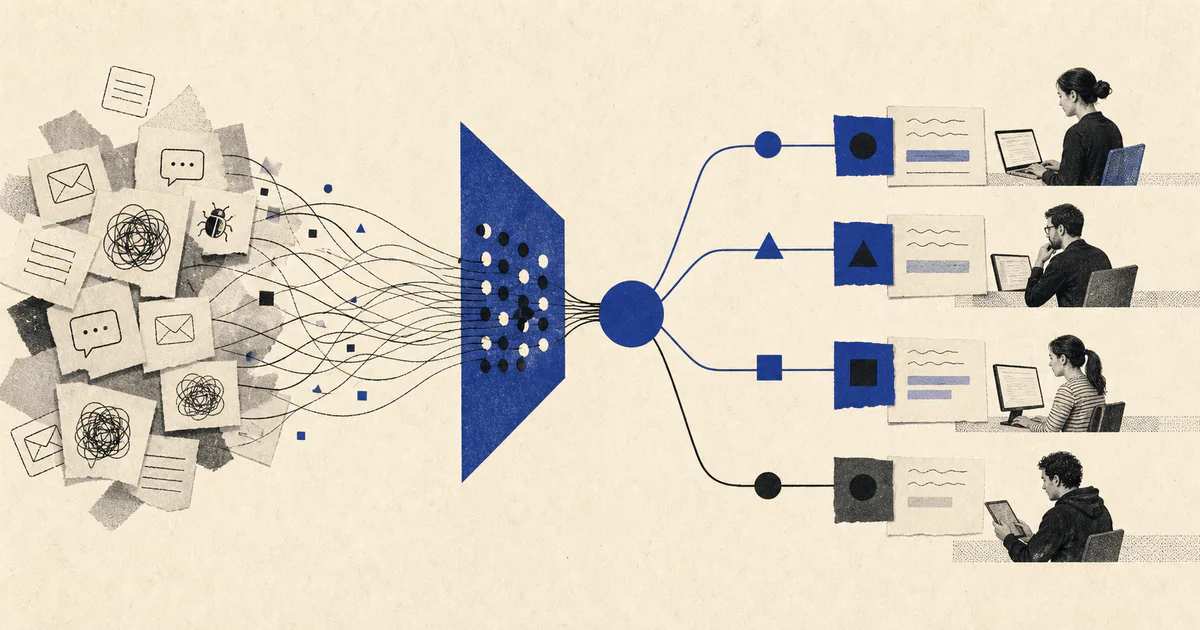
It is a workflow system that helps a support team decide what each incoming request is, how urgent it is, what should happen next, and where a human should stay involved.

In practice, that usually means the system does some combination of the following:

  • identifies ticket type
  • detects urgency and customer risk
  • pulls customer context from the CRM, help desk, or product database
  • routes the issue to the right queue or owner
  • drafts a response or summary
  • flags tickets that need human review
  • tracks what happened so the team can trust the automation

That is very different from the typical "AI customer support" pitch.

The flashy version is a bot that tries to answer everything.

The production version is a system that helps the team make faster, safer operational decisions.

Why support triage is a strong AI use case

Support work is messy in exactly the way LLMs can be useful.

Customers do not write clean, structured requests. They send short messages, long threads, screenshots, forwarded emails, vague frustration, and half-complete details. A rigid rules engine struggles here because the language varies so much.

LLMs are useful because they can extract structure from messy inputs.

For example, a good triage system can take:

"Your app charged us twice and now my team cannot export anything."

And turn it into:

  • category: billing plus product issue
  • urgency: high
  • account type: likely business customer
  • recommended route: billing review and product escalation
  • suggested action: same-hour response with human follow-up

That is a meaningful operational improvement.

The point is not that the model sounds smart. The point is that the team does not lose time figuring out what the ticket is and who owns it.

The common mistake: automating the visible part only

Most teams start with the visible step: response drafting.

That is understandable because it is easy to demo.

You paste a ticket into a model, ask for a reply, and the output looks impressive. But that usually ignores the harder parts of the workflow:

  • which tickets should be prioritized first
  • what context the rep needs before replying
  • whether the ticket belongs to support, success, billing, or engineering
  • whether the issue is low-risk enough for automation
  • how to stop bad responses from reaching important customers

This is why so many AI support projects stall.

They automate sentence generation and ignore queue operations.

If your ticket volume is rising, your first response time is slipping, and internal routing is messy, then the highest-value AI opportunity is usually triage, not full autonomous support.

What a production AI support triage system should do

For most teams, a useful first version has six parts.

1. Intake across real channels

Support does not live in one perfect queue.

Requests arrive through:

  • Zendesk or Intercom
  • shared inboxes
  • Slack connect channels
  • forms on the website
  • account manager forwards
  • customer success escalation threads

If the system only works on one clean source, it is not solving the actual workflow.

2. Classification into operational categories

The system should label tickets in a way the business can actually use.

For example:

  • billing
  • bug report
  • account access
  • feature request
  • onboarding question
  • product how-to
  • escalation risk

This sounds simple, but getting the categories right matters a lot. If your labels are too vague, the routing is useless. If they are too detailed, the system becomes brittle.

3. Context enrichment

A ticket is rarely enough on its own.

The system should pull useful context before the human sees it:

  • customer plan and contract size
  • account owner
  • open incidents
  • recent ticket history
  • product usage signals
  • known bugs or status page incidents

This is often the step that turns support from reactive queue work into informed operations.

4. Urgency and risk scoring

Not every ticket deserves the same speed or the same handler.

The system should help answer:

  • Is this a VIP customer?
  • Is there revenue risk?
  • Is this tied to an outage or broken workflow?
  • Does this need an immediate human response?
  • Is it safe to auto-draft a reply?

The right output is usually a structured score with confidence, not a long paragraph.

5. Routing and action

Once the ticket is understood, the system should trigger the next step:

  • assign to the right queue
  • create an engineering escalation
  • draft a response for agent review
  • notify the account owner
  • mark for same-hour handling
  • hold for human review if confidence is low

This is where the business gets leverage. Faster response times, fewer handoff failures, and less time wasted by skilled reps on basic sorting.

6. Monitoring and feedback

If nobody can inspect the system, trust will collapse quickly.

You need visibility into:

  • classification accuracy
  • false urgency flags
  • missed escalations
  • response time by category
  • auto-draft acceptance rate
  • routing failures

Without this layer, the team will end up arguing from anecdotes and eventually switch the automation off.

Where teams get this wrong

The patterns repeat across companies.

They try to auto-answer everything

This is the fastest way to create risk.

Some tickets are safe for lightweight automation. Others involve billing, outages, renewals, angry customers, or contractual commitments. Those need human review or explicit escalation paths.

You do not earn trust by automating the most sensitive messages first.

You earn trust by automating the low-risk, repetitive parts of the workflow while making the high-risk cases more visible.

They skip support ops design

AI cannot fix a broken queue taxonomy.

If the team does not agree on categories, priorities, ownership, or escalation rules, the model will only make the confusion happen faster.

Good AI workflow systems sit on top of clear operations. They do not replace the need to define them.

They treat integrations as an afterthought

If the system classifies correctly but fails to update the help desk, ping the right owner, or attach the right customer context, the support team will stop trusting it.

The integration layer is not admin work. It is part of the product.

They fail to design for ambiguity

Real support requests are messy.

One message can contain a billing complaint, a product bug, and a churn signal at the same time. Another can be so vague that no confident action is possible.

A production system needs explicit uncertainty states:

  • not enough information
  • multiple possible categories
  • high-risk ambiguity
  • needs human review

Without those states, the model will be overconfident in exactly the situations where the business needs caution.

The architecture that usually works

For most growing companies, the right first version is not complicated.

It usually looks like this:

  1. A trigger from the help desk, inbox, or support platform.
  2. A narrow classification step that predicts ticket type and urgency.
  3. A context lookup step that fetches customer and account data.
  4. A scoring step that recommends route, SLA, and review mode.
  5. A drafting step for low-risk cases or internal summaries.
  6. A routing layer that updates systems and alerts the right humans.
  7. A monitoring layer that tracks outcomes and failures.

That is enough to create visible operational lift.

You do not need a giant multi-agent swarm to improve support.

You need a well-designed system that handles messy inputs, works with your existing tools, and makes humans faster instead of bypassing them recklessly.

When you should build this

An AI support triage system is worth prioritizing if:

  • ticket volume is growing faster than the team
  • response-time targets are slipping
  • support reps waste too much time on sorting and context gathering
  • VIP or revenue-sensitive issues are getting lost in the queue
  • support, success, and engineering handoffs are inconsistent

It is especially useful for B2B software teams where account value varies a lot and the cost of a missed escalation is high.

When you should wait

You should probably not build this yet if:

  • ticket volume is still very low
  • your support process changes every week
  • you do not have clear queue ownership
  • customer data is too fragmented to enrich reliably
  • nobody agrees on what counts as urgent

In those cases, the first step is workflow diagnosis, not automation.

The real ROI is operational clarity

The biggest win from AI support triage is not just lower response time.

It is better operating discipline.

Once you force the workflow into categories, routes, review logic, and tracked outcomes, the support team starts seeing where the real problems are:

  • repeated product confusion
  • broken billing handoffs
  • poor account visibility
  • avoidable escalations
  • missing internal ownership

That is why the best AI systems are not just automation layers.

They are operating systems for messy work.

At v12labs, this is how we approach support automation: diagnose the workflow first, define the review and routing logic, then build the AI system around real business constraints.

If your support queue is growing but hiring alone is not solving the problem, that is usually the place to start.

If you want help mapping that workflow, book a workflow diagnostic at v12labs.io.