AI Deal Desk Automation: How Revenue Teams Speed Approvals Without Losing Control

By V12 Labs9 min read
#AI deal desk automation#sales approval workflow automation#quote approval automation#revenue operations AI#enterprise deal workflow

Short answer

AI deal desk automation helps revenue teams turn slow, manual pricing and approval workflows into structured, reviewable systems that move enterprise deals faster without weakening controls.

Enterprise deals do not usually slow down because the rep forgot to send one more follow-up email.

They slow down when the commercial path becomes messy. Pricing needs approval. Legal wants redlines reviewed. Security questions reopen scope concerns. Finance needs margin visibility. A rep promises a close date, but nobody can clearly see whether the internal approvals and customer-side checkpoints are actually aligned.

That is the operating problem AI deal desk automation solves.

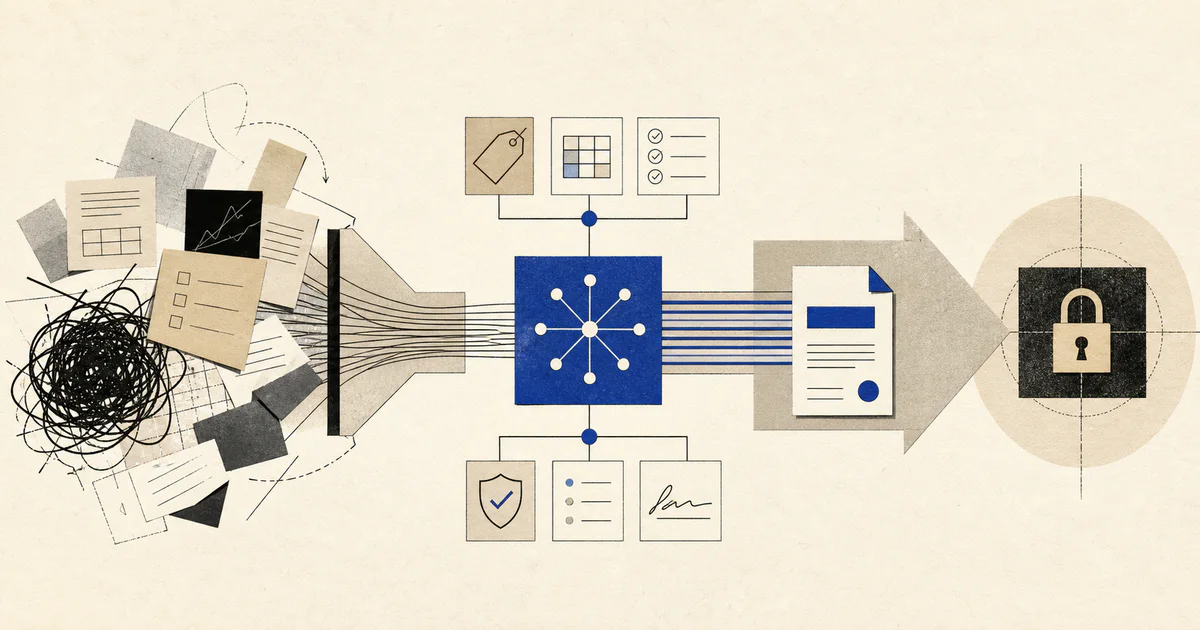
Short answer: AI deal desk automation helps revenue teams gather deal context, detect approval triggers, route the deal to the right reviewers, and keep pricing, legal, security, and finance work moving through a controlled workflow.

If your team is already working on AI sales automation, AI CRM automation, or AI sales forecasting automation, deal desk automation is the layer that turns late-stage deal friction into a reviewable operating system. When companies want this built with CRM sync, approval rules, alerts, audit logs, and human review, it usually belongs inside a broader AI workflow systems engagement.

What AI deal desk automation actually means

AI deal desk automation is a workflow that manages the commercial approval path for complex deals instead of leaving that coordination work in inboxes, Slack threads, and spreadsheet trackers.

In practice, the workflow usually:

  • gathers CRM data, pricing context, redlines, security requests, and stakeholder notes
  • identifies what kind of exception or approval the deal needs
  • checks the request against pricing rules, margin thresholds, contract policy, and deal stage
  • routes the item to the right approvers in the right order
  • drafts summaries so reviewers do not have to reconstruct the deal from scratch
  • tracks blockers, overdue approvals, and unresolved dependencies
  • sends the final decision and next actions back into the CRM and deal record

The useful output is not another internal note.

The useful output is a controlled path that helps the team answer three questions quickly:

  • What needs approval?
  • Who owns the next decision?
  • What is blocking the deal right now?

Why deal desk work becomes a bottleneck

Most companies do not have a "deal desk problem" because people are lazy.

They have it because the approval path is fragmented and changes from deal to deal.

Common failure patterns include:

  • discount requests arriving without enough context
  • legal redlines sent around without a clear owner or due date
  • security reviews restarting questions that sales already answered elsewhere
  • finance discovering late that the margin is worse than expected
  • managers learning about approval risk only when the close date is already slipping

This is why many teams feel busy but still slow. The issue is not only the approval policy. The issue is that the team has no reliable workflow for moving exceptions from request to decision.

What should an AI-assisted deal desk workflow include?

A good workflow should make commercial decisions faster to inspect, not just faster to submit.

1. Approval-trigger detection

The workflow should know when a deal needs special handling.

Typical triggers include:

  • discounts above a threshold
  • custom payment terms
  • non-standard contract language
  • security or compliance requirements
  • unusual implementation scope
  • multi-year commercial commitments

This matters because the real slowdown often starts before the approver ever sees the request. The team loses time deciding whether the request is "normal" or "exception" work.

2. Context assembly for reviewers

Approvers should not have to hunt through five systems to understand one request.

The workflow should assemble:

  • account and opportunity context
  • current pricing and requested changes
  • margin or packaging impact
  • contract redlines
  • security or procurement status
  • previous exceptions on the account

That is where AI account research automation and AI mutual action plan automation become relevant. Good approvals depend on good context, and that context is usually scattered.

3. Rule-based routing and escalation

Not every request should go to the same person.

The workflow should route based on factors like:

  • deal size
  • discount level
  • contract risk
  • region or product line
  • implementation complexity
  • deadline urgency

For example, a pricing exception may need sales leadership and finance review, while a contract change may need legal first and then commercial approval after the redlines settle.

4. Blocker and SLA tracking

If nobody can see where the deal is stuck, the process stays reactive.

The workflow should track:

  • current approval owner
  • pending inputs
  • due dates
  • reviewer turnaround time
  • repeated exception patterns
  • deals at risk of missing target close because of internal delay

This is one place where support-style workflow discipline matters. The same operational logic behind AI support ticket routing automation also applies to enterprise commercial approvals: classify the work, route it well, and expose backlog risk early.

5. Human review before final commitment

AI should prepare the work and route it cleanly.

It should not unilaterally approve pricing, legal, or risk decisions that bind the company.

The workflow should end with named human approval for:

  • pricing exceptions
  • contract redlines
  • security commitments
  • non-standard implementation scope
  • payment-term changes

When is AI deal desk automation worth building?

It is usually worth building when enterprise deals are large enough that internal approval friction is materially affecting revenue speed or margin control.

Common signals include:

  • reps spend too much time chasing internal approvals
  • discount reviews rely on Slack messages and memory
  • close dates slip because legal or finance work starts too late
  • approvers keep asking for the same missing context
  • leadership cannot see which deals are blocked by internal process versus customer risk
  • exception patterns are growing, but nobody can measure them well

If those signals are present, the answer is usually not "add another approval form." The answer is to build a workflow that makes the approval path inspectable and repeatable.

A practical workflow design for AI deal desk automation

The first production version should stay narrow and auditable:

  1. A trigger starts the workflow when pricing changes, redlines appear, security review opens, or the rep submits an exception request.
  2. The system gathers the latest CRM data, commercial terms, contract state, stakeholder notes, and target close date.
  3. AI identifies the request type, missing information, likely approvers, and blocker risks.
  4. Business rules check thresholds, required approvers, margin policy, and contract policy.
  5. The workflow drafts an approval packet with summary, rationale, exceptions, and deadlines.
  6. Human reviewers approve, reject, request changes, or escalate.
  7. Final outcomes sync back into the CRM, quote process, and internal reporting.

In one sentence, the workflow is:

deal change or exception request -> gather context -> classify approval need -> apply routing rules -> draft reviewer summary -> human decision -> sync outcome

What to automate first

Do not start by trying to automate every legal and pricing edge case.

Start with the repeated coordination work that drains selling time.

1. Discount and pricing exception intake

This is often the fastest win.

The workflow can standardize:

  • requested discount
  • business justification
  • competitive pressure
  • contract length
  • packaging impact
  • target approval deadline

That alone removes a large amount of "please send more context" delay.

2. Approval-packet preparation

Once intake is reliable, the system can prepare the reviewer brief automatically.

That usually includes:

  • account summary
  • stage and close target
  • pricing delta
  • contract changes
  • margin concerns
  • decision recommendation with confidence notes

This is where AI revenue operations automation becomes especially relevant. The workflow should improve operating speed without weakening commercial controls.

3. Blocker alerts for late-stage deals

After the routing path is stable, the system can flag:

  • approvals stuck beyond SLA
  • security reviews with missing owner follow-up
  • redlines that reopened after verbal approval
  • high-discount deals with weak business justification
  • deals likely to miss close because internal review started too late

This also improves AI sales forecasting automation, because forecast quality gets better when the system can separate customer delay from internal bottleneck.

What should stay human?

AI should reduce coordination work, not replace commercial judgment.

Human owners should still decide:

  • whether the strategic value of the logo justifies an exception
  • whether the requested terms create unacceptable precedent
  • when finance, legal, or security risk is too high
  • how to negotiate tradeoffs with the customer
  • whether the close plan is still credible after the approval path changes

That is the difference between useful automation and uncontrolled automation.

Common mistakes in AI deal desk automation

Treating approvals like a form-submission problem

A better form helps, but it does not solve the real issue if context assembly and routing are still weak.

Automating decisions before policies are clear

If pricing, contract, or approval rules are inconsistent, the workflow will only scale the confusion. Policy discipline needs to exist before automation can enforce it.

Ignoring auditability

Revenue teams need to know:

  • who approved what
  • when they approved it
  • what exception was granted
  • what evidence supported the decision

If the workflow cannot answer those questions, it will not be trusted for serious deals.

Forcing AI to do negotiation strategy

AI can prepare the operating picture. It should not own the commercial judgment about concessions, leverage, or political tradeoffs inside the account.

How to evaluate whether this workflow is working

Measure operational outcomes, not just AI output quality.

Useful metrics include:

  • time from exception request to decision
  • approval turnaround by request type
  • percentage of requests sent back for missing information
  • late-stage deals blocked by internal approvals
  • discount variance by approval path
  • margin protection on exception deals

If those numbers improve, the workflow is doing useful work. If the team still spends hours reconstructing each request, the automation is too shallow.

FAQ

What is AI deal desk automation in plain English?

It is a system that helps revenue teams move pricing, legal, finance, and security approvals through a cleaner process so enterprise deals do not stall in internal review.

Which teams usually need AI deal desk automation?

It is most useful for B2B sales teams, revenue operations teams, finance leaders, and legal or security stakeholders involved in complex deals with frequent exceptions.

Can AI approve discounts or contract changes automatically?

It can recommend and route decisions, but companies should keep final approval with named humans for pricing, legal, and risk-sensitive exceptions.

What should a company automate first?

Start with exception intake, reviewer context assembly, and blocker alerts. Those areas usually remove the most delay without taking on unnecessary policy risk.

How is this different from CRM automation?

CRM automation keeps records updated. Deal desk automation manages the approval path around pricing, legal, security, and other exceptions that determine whether the deal can actually close.

Common questions

What is the short answer on AI deal desk automation?

AI deal desk automation helps revenue teams turn slow, manual pricing and approval workflows into structured, reviewable systems that move enterprise deals faster without weakening controls.

Who should read this guide on AI deal desk automation?

This guide is for founders, operators, and revenue or customer teams deciding whether an AI workflow, AI agent, or custom product system is the right way to remove manual work.

What should I do after reading this?

Map the workflow, identify the repeated manual steps, decide where human review is still needed, and compare that workflow against V12 Labs' AI workflow systems and AI-native product engineering services.

Where this fits

Related reading

Production AI Agent Architecture: Lessons From Building CrewKit

Why most multi-agent systems break in production, and the architecture we built instead. The Mind, the durable primitives, the learning loop, and the anti-patterns we ran into the hard way.

Bland.ai + Twilio Integration: How We Built Production AI Phone Agents

How Bland.ai and Twilio work together for production AI phone agents, where ElevenLabs-style voice stacks fit, and what teams still need to build.

AI Mutual Action Plan Automation: How Sales Teams Keep Enterprise Deals Moving

AI mutual action plan automation helps sales teams build, update, and enforce mutual action plans from real deal activity so enterprise opportunities keep moving without relying on rep memory.

AI Account Planning Automation: How Customer Success Teams Prepare Renewal and Expansion Plans Faster

AI account planning automation helps customer success teams gather account context, map risks and stakeholders, and prepare clearer renewal and expansion plans without manual account archaeology.

AI Upsell Automation: How Customer Success Teams Detect Expansion Opportunities Earlier

AI upsell automation helps customer success teams turn product usage, stakeholder activity, support patterns, and account goals into earlier, better-timed expansion workflows.

AI Support QA Automation: How Support Teams Review More Tickets Without Lowering Standards

AI support QA automation helps support teams check more conversations for policy, tone, accuracy, and escalation quality so managers can find coaching issues faster and improve support consistency.

← Back to Blog