AI CRM automation · CRM automation · AI sales automation
AI CRM Automation: How B2B Teams Keep Pipeline Data Clean Without More Admin Work
V12 Labs··10 min read
Short answer
AI CRM automation helps B2B teams turn call notes, emails, forms, and handoff activity into clean CRM updates, faster follow-up, and more reliable pipeline visibility.
Most CRM problems are not software problems.
They are workflow problems.
A rep finishes a call and the important details stay in the transcript. A founder replies from their inbox but the CRM never reflects it. A success manager learns that an account is at risk, but the renewal record still looks healthy. Pipeline review starts, and half the meeting is spent reconstructing what happened from Slack threads, call notes, and memory.
That is why AI CRM automation is one of the most practical AI use cases for growing B2B teams.
Not because companies need a chatbot inside Salesforce or HubSpot.
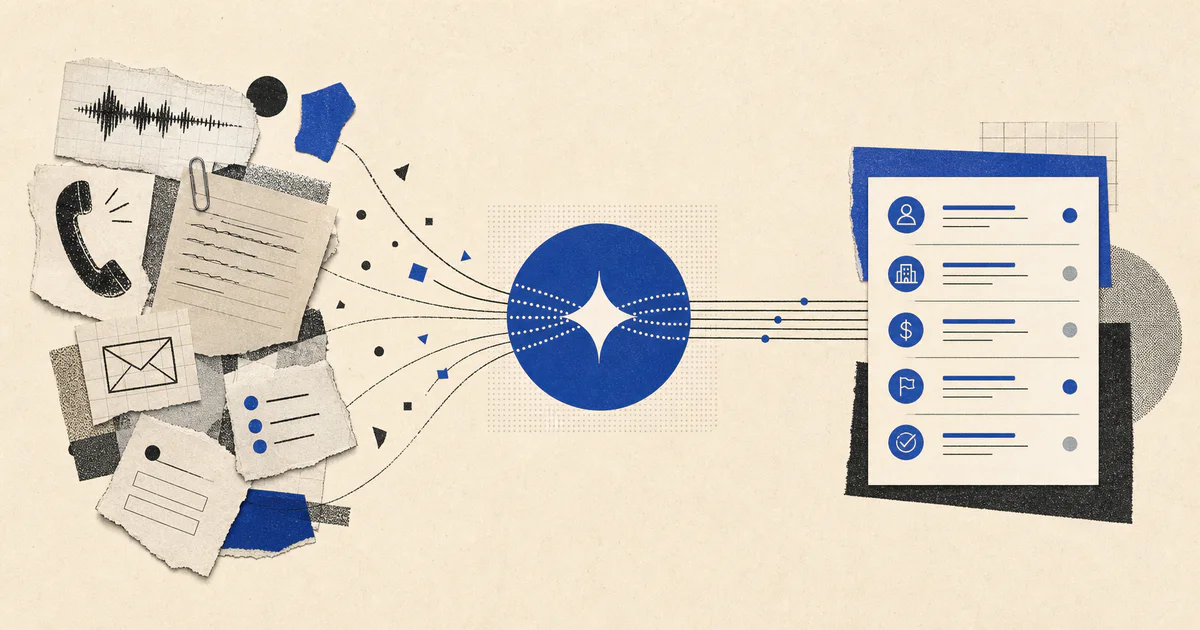
Because they need a system that can observe workflow activity, extract what matters, recommend or apply structured updates, and keep follow-up moving without turning reps into data-entry clerks.
If your team keeps losing time to stale records, inconsistent follow-up, and unreliable pipeline visibility, this is one of the clearest workflows to automate.
If you would rather have V12 Labs build it, get your free agent plan. We will put the scope, timeline, and price range in writing. You keep the plan, and if we build it, you own the code, data, and IP from day one.
AI CRM automation is the use of AI inside CRM-related workflows to read messy inputs, structure important information, and update the system of record with the right context at the right time.
In practice, that usually means combining:
form submissions and inbound emails
call transcripts and meeting notes
opportunity stage changes
tasks and follow-up activity
customer success or support signals
deterministic workflow rules
human review for sensitive updates
The goal is not to let AI rewrite your revenue process.
The goal is to reduce the manual work required to keep customer and pipeline records accurate.
This is best understood as one part of an AI workflow system, not as a generic CRM copilot.
Why manual CRM upkeep breaks as a company grows
Manual CRM discipline can hold for a while when:
the team is small
deal volume is low
founders still touch most conversations
the sales motion is simple
It breaks when:
more people touch the same account
calls, demos, and follow-ups increase
multiple tools create customer context
leadership depends on the CRM for forecasting and prioritization
nobody wants to spend peak selling hours rewriting what already exists elsewhere
Then the same problems show up repeatedly:
records fall out of date
next steps go missing
managers distrust pipeline views
follow-up depends on memory
handoffs between sales, success, and support lose context
automation built on top of the CRM becomes brittle because the source data is weak
This is why many teams think they need better dashboarding when the real issue is upstream workflow capture.
Want an agent doing this for you?
We build custom AI agents and the software around them, shipped in weeks. You own the code, and we stay for support.
That is the difference between useful automation and silent CRM corruption.
The best AI CRM automation use cases to start with
Most companies should not try to automate the entire CRM at once.
Start with the narrowest repeated workflow that has clear triggers, visible pain, and obvious business value.
These are usually the best first use cases.
Post-call CRM updates
This is one of the highest-leverage starting points.
After sales or success calls, teams usually need to:
capture a summary
update fields
log objections or blockers
assign next steps
create follow-up tasks
A workflow can read the transcript, extract structured changes, and prepare a reviewable update package before the rep moves to the next meeting.
If the upstream problem is that reps still spend too much time gathering account context before the call, pair this with AI account research automation.
Inbound lead to CRM sync
Many teams still lose time between form submission and usable CRM record.
Managers often spend pipeline review meetings doing manual archaeology.
A CRM workflow can prepare a review brief that shows:
what changed since the last review
which deals are missing evidence
where the next step is unclear
what follow-up has slipped
which records need correction before forecasting
That makes the CRM more operationally useful instead of just administratively complete.
If your team already has the data but still struggles to trust the weekly number, this is the handoff point into AI sales forecasting automation.
What to automate first
Most teams should start with one workflow that is narrow enough to trust and measurable enough to improve.
A strong first version is often:
Call transcript is added to the system.
Workflow reads CRM state plus transcript context.
AI extracts stage evidence, next step, stakeholders, blockers, and follow-up needs.
Rep reviews suggested updates.
Approved fields sync to the CRM and tasks are created.
That is enough to create leverage without trying to automate the whole revenue engine in one pass.
Common implementation mistakes
Most weak CRM automation projects fail for boring reasons.
Mistake 1: Treating the CRM as the only source of truth
The CRM may be the system of record, but it is rarely the only source of real context.
Important details live in transcripts, inboxes, support systems, and internal notes.
If the workflow only reads current CRM fields, it will reinforce incomplete information.
Mistake 2: Asking AI to update everything at once
One prompt should not decide stage, score risk, rewrite every field, send the email, and close the task loop in one shot.
Break the workflow into bounded steps with clear outputs.
Mistake 3: Automating sensitive writes too early
It is tempting to let the system write directly into every field on day one.
That usually backfires.
Start with reviewable suggestions for critical updates. Expand autonomy only after the workflow earns trust.
Mistake 4: Measuring output quality instead of operational impact
A polished summary is not the goal.
The goal is to improve:
CRM completeness
follow-up speed
duplicate reduction
stale-opportunity rate
manager trust in pipeline data
time reps spend on admin work
Mistake 5: Ignoring the integration layer
The AI reasoning step is often the easy part.
The hard part is consistent field mapping, duplicate logic, retries, auditability, and safe writes across real tools.
If you need browser-based actions inside internal systems or admin portals, tools like Browserbase and Stagehand for AI agents can matter at the execution layer.
Build vs buy for AI CRM automation
There are plenty of CRM add-ons that promise AI note-taking, summarization, or enrichment.
Some are useful.
But many stop at one narrow surface area.
What growing teams often need is a workflow that combines:
their actual sales or success motion
custom field logic
source-aware extraction
routing and task creation
review rules
integration into the rest of the operating stack
That is where a tailored workflow often outperforms a generic assistant inside the CRM.
If your team is deciding whether packaged automation is enough or whether the workflow needs custom logic, our guide to AI agents vs Zapier vs Make is a useful starting point.
FAQ
What is AI CRM automation?
AI CRM automation is a workflow that uses AI to extract structured information from calls, emails, forms, and account activity so CRM records stay cleaner and follow-up work happens faster.
What is the difference between AI CRM automation and CRM enrichment?
CRM enrichment usually adds missing external data points. AI CRM automation goes further by turning workflow activity into structured updates, tasks, risk signals, and follow-up actions.
Can AI update CRM records accurately?
Yes, if the workflow is bounded well and has access to the right context. It is most reliable when it handles explicit fields, preserves source evidence, and uses review steps for high-stakes updates.
Which teams benefit most from AI CRM automation?
B2B teams with growing pipeline volume, multi-step sales cycles, or fragmented customer context benefit most. The value is highest when stale records and missed follow-up are already creating revenue friction.
When should a company not prioritize AI CRM automation?
Do not prioritize it if your sales process changes every week, your CRM structure is still undefined, or the team does not agree on required fields and stage criteria. Stabilize the operating model first.
Where V12 Labs fits
V12 Labs builds production AI workflow systems for revenue and customer teams.
That often starts with one repeated workflow like lead qualification, CRM upkeep, support triage, onboarding coordination, or account research, then turns it into a system with integrations, review logic, and measurable outcomes.
If your team is buried in CRM cleanup, post-call admin, or unreliable pipeline visibility, our AI workflow systems offering is the right next step.