What Is an AI Workflow System? Architecture, Use Cases, and Examples

By V12 Labs9 min read
#AI Workflow Systems#AI Agents#AI Automation#Business Workflows#Operations

Most teams use the phrase "AI workflow" too loosely.

Sometimes they mean a prompt.

Sometimes they mean a chatbot.

Sometimes they mean a Zap with an LLM step bolted into the middle.

That confusion matters because the systems that create business value are usually not simple model wrappers.

They are operational systems that sit inside a real workflow, handle messy inputs, make bounded decisions, update business tools, and hand work back to humans when needed.

That is what we mean by an AI workflow system.

At V12 Labs, this is the category we care about most. We build production AI workflow systems for revenue and customer teams that are buried in repetitive manual work: triage, routing, summarization, research, follow-up, account preparation, and internal coordination.

If you are trying to understand what an AI workflow system actually is, where it fits, and whether your business needs one, this guide is the right starting point.

What is an AI workflow system?

An AI workflow system is a software system that uses AI inside a business process to help move work from input to outcome.

In plain English, it takes in messy information, decides what matters, triggers the right next step, and updates the systems or people involved.

It usually includes:

  • one or more AI steps for classification, extraction, drafting, summarization, or reasoning
  • business rules and thresholds
  • integrations with tools like CRMs, help desks, inboxes, docs, and internal systems
  • workflow state and logging
  • human review or approval at the right points
  • fallback behavior when the AI is uncertain or wrong

That is the important distinction.

An AI workflow system is not just "AI generating output."

It is AI operating inside a controlled workflow.

AI workflow system vs chatbot vs agent

These terms get mixed together constantly, but they are not the same thing.

Chatbot

A chatbot is mainly a conversational interface.

It may answer questions, search knowledge, or draft responses. Some chatbots are useful, but many never connect deeply enough to operations to create real leverage.

AI agent

An AI agent usually implies a system that can choose tools, decide actions, and work through multi-step tasks with some autonomy.

Agents can be part of an AI workflow system.

But "agent" describes the decision-making style, not the entire business system.

AI workflow system

An AI workflow system is the larger operating layer.

It defines:

  • when AI is triggered
  • what context is available
  • what actions are allowed
  • where approvals are required
  • which systems get updated
  • how failures are handled
  • how outcomes are measured

So the clean mental model is:

  • a chatbot is an interface
  • an agent is one possible execution pattern
  • an AI workflow system is the production system around the work

Why AI workflow systems matter now

Most growing companies are not blocked by a lack of ideas.

They are blocked by operational drag.

Important work still depends on people reading unstructured inputs, reconstructing context from scattered tools, making repetitive decisions, updating records, and remembering what should happen next.

That creates bottlenecks in places like:

  • inbound lead qualification
  • support triage
  • onboarding coordination
  • customer success follow-through
  • CRM hygiene
  • account research
  • meeting prep
  • post-call follow-up

These are strong AI opportunities because they involve repeated knowledge work, not just simple field routing.

Traditional automation tools help when the inputs are already clean and deterministic.

AI workflow systems become useful when the inputs are messy: emails, support tickets, forms, call notes, transcripts, PDFs, account histories, free text, and browser-based research.

What an AI workflow system actually does

A useful AI workflow system usually combines six layers.

1. Trigger layer

Something starts the workflow.

Examples:

  • a new support ticket arrives
  • a lead submits a form
  • a call transcript is added
  • a customer health score changes
  • a shared inbox receives a message

2. Context layer

The system gathers the information needed to make a good decision.

That can include:

  • CRM data
  • previous interactions
  • account metadata
  • product usage events
  • support history
  • documents
  • internal notes

3. AI reasoning layer

This is where the model helps with tasks like:

  • classification
  • extraction
  • summarization
  • drafting
  • prioritization
  • recommendation

The AI step should be bounded.

It should not be asked to govern the entire business logic by itself.

4. Workflow logic layer

This layer decides what happens next based on AI output plus deterministic rules.

For example:

  • high-risk support tickets go to a priority queue
  • enterprise leads route to an account executive
  • low-confidence outputs require review
  • missing data triggers an enrichment step

5. Action layer

The system performs useful work:

  • updates the CRM
  • drafts an email
  • opens a task
  • pings Slack
  • adds a note to the help desk
  • creates a meeting brief

6. Human control layer

This is where most weak AI implementations fail.

A production workflow system needs controls:

  • approvals for sensitive actions
  • confidence thresholds
  • escalation logic
  • audit trails
  • monitoring
  • easy override paths

Without those controls, trust collapses quickly.

Examples of AI workflow systems

The easiest way to understand the category is through real workflow examples.

AI support triage system

Instead of asking AI to fully replace support, a better system:

  • reads incoming tickets
  • classifies issue type and urgency
  • pulls account context
  • drafts a suggested reply
  • routes the ticket to support, success, billing, or engineering
  • flags edge cases for human review

This is often a much better use of AI than an autonomous support bot.

If this is relevant to your team, read our guide on AI support triage systems.

AI lead qualification system

For B2B teams, inbound leads often die in slow routing and incomplete context.

A better workflow system can:

  • read form submissions and emails
  • enrich the company and buyer
  • classify fit and urgency
  • recommend routing
  • update the CRM
  • prepare the first-response draft

We go deeper on that in AI lead qualification systems.

AI customer onboarding system

Onboarding breaks when the process lives in too many tools and nobody has a current picture of what the customer needs next.

An AI workflow system can:

  • summarize kickoff calls
  • extract blockers and owners
  • detect missing setup steps
  • draft customer-facing updates
  • route issues to the correct internal team

We covered that pattern in AI customer onboarding systems.

AI revenue operations automation

Revenue operations has a large amount of repetitive reading, updating, and coordination work.

A strong AI workflow can:

  • keep CRM records cleaner
  • detect follow-up risk
  • summarize calls
  • prepare pipeline reviews
  • surface renewal or expansion signals

See our full breakdown on AI revenue operations automation.

When an AI workflow system is a good fit

You should seriously consider this approach when:

  • the workflow has high volume
  • the inputs are unstructured or inconsistent
  • humans repeat similar judgment calls all day
  • delays create lost revenue, bad customer experience, or operational backlog
  • the next actions are clear enough to structure
  • partial automation is still valuable even if humans stay involved

Good examples:

  • routing inbound demand
  • triaging tickets
  • summarizing sales and success calls
  • preparing account briefs
  • identifying churn risk from scattered signals
  • managing post-meeting follow-up work

When an AI workflow system is a bad fit

Not every process should get AI.

It is usually a bad fit when:

  • the workflow changes every week
  • there is no clean source of truth
  • the task has very low volume
  • the action is too high risk for the current level of reliability
  • the business has not defined what "good" looks like
  • the real problem is process design, not automation

This is why we usually start with workflow diagnosis before implementation.

If your team cannot explain the current workflow, its exceptions, handoffs, and success metrics, then building AI on top of it will usually magnify the mess.

Common mistakes teams make

Most failed AI workflow projects break for predictable reasons.

1. They build a demo, not a system

A model output on a test dataset is not a workflow.

The hard part is everything around it: context, actions, permissions, retries, review logic, logging, and adoption.

2. They give the model too much responsibility

The model should help with interpretation and drafting.

It should not silently own policy, permissions, or irreversible business decisions.

3. They skip human review design

Human involvement is not a failure.

In many workflows, it is what makes automation usable.

The goal is usually not full autonomy. The goal is higher throughput with the right control points.

4. They ignore integration reality

If the workflow does not update the CRM, help desk, task system, or internal dashboard, the team will stop trusting it.

Good workflow systems do useful work inside the systems people already use.

5. They do not measure outcomes

You should know whether the system improved:

  • first-response time
  • routing accuracy
  • turnaround time
  • conversion rate
  • task completion speed
  • operator workload

Without that, you do not know whether you built leverage or just novelty.

What the architecture usually looks like

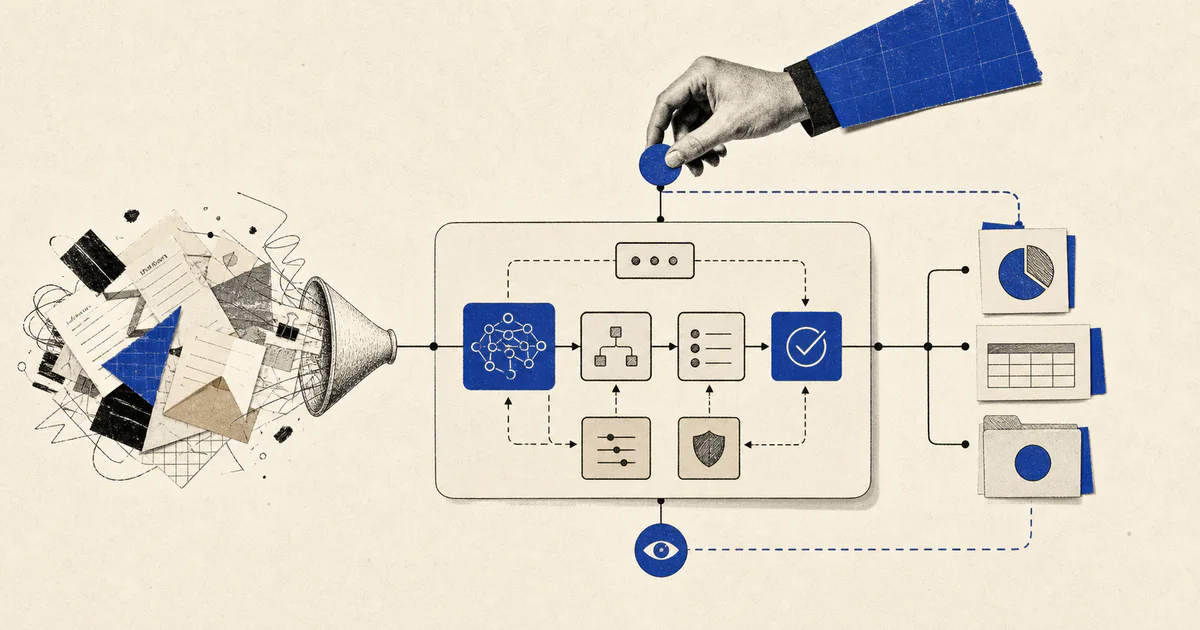
A practical AI workflow system often looks like this:

  1. A trigger from a business system.
  2. A data layer that assembles context.
  3. An AI step that classifies, extracts, summarizes, or drafts.
  4. A rules layer that decides routing, confidence thresholds, and review paths.
  5. An action layer that updates systems and notifies owners.
  6. An observability layer that logs outcomes and exceptions.

Sometimes that includes an agent runtime.

Sometimes it does not.

The right architecture depends on the workflow shape, the number of tools involved, the cost of mistakes, and how much autonomy is actually necessary.

How V12 Labs approaches AI workflow systems

We do not start with "where can we insert AI?"

We start with:

  • where work is getting stuck
  • which inputs are messy
  • which decisions repeat most often
  • where context is fragmented
  • what actions follow those decisions
  • what must remain under human control

From there, we design the workflow, choose the right model and integration pattern, and build the surrounding system so it can survive real usage.

That usually means a mix of:

  • AI reasoning steps
  • product interfaces
  • business rules
  • internal tooling
  • monitoring
  • approval flows
  • documentation for the operators who own the workflow after launch

Final takeaway

An AI workflow system is not just an LLM call inside an app.

It is a production system for moving work through messy business processes with AI assistance, clear controls, and useful actions.

That is the level where AI starts affecting revenue, operations, and customer experience in a real way.

If your team is dealing with a workflow that depends on too much manual reading, routing, drafting, or follow-up work, that is usually the right place to look first.

If you want help mapping or building one, talk to V12 Labs.