AI Customer Onboarding Systems: How SaaS Teams Reduce Time-to-Value Without Hiring More CSMs

By Sharath Challa9 min read
#AI Workflow Systems#Customer Onboarding#Customer Success#AI Agents#Startup Growth

Customer onboarding does not usually break in one dramatic moment.

It slips.

A kickoff call happens, but nobody captures the real implementation risks. A customer misses a setup step and the team notices three days later. An integration blocker sits in Slack while ownership stays unclear. The CSM sends follow-ups manually, but half the messages are really asking for internal coordination, not just customer communication.

Then leadership looks at activation numbers and thinks the answer is to hire more people.

Sometimes it is.

But often the deeper issue is that onboarding work is full of manual knowledge work that no one has systematized.

That is where AI can help, if it is implemented as a production system instead of a novelty layer.

Most SaaS teams do not need an AI chatbot inside onboarding. They need an AI customer onboarding system.

That distinction matters because the real business problem is not "can AI write a friendly follow-up email?" The real business problem is "can we move each account from signed to live faster, with fewer dropped handoffs and fewer avoidable delays?"

What an AI customer onboarding system actually is

An AI customer onboarding system is not one model trying to run implementation end to end.

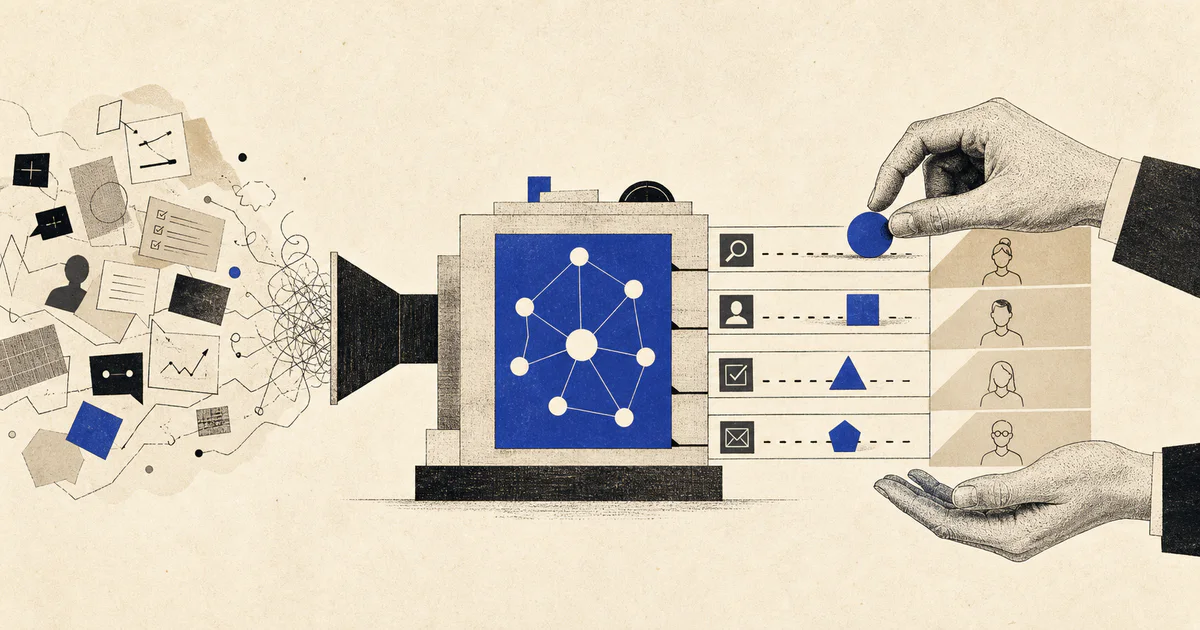
It is a workflow system that helps a team interpret messy onboarding inputs, decide what needs to happen next, update the right systems, and escalate the right blockers before the account stalls.

In practice, that system usually does some combination of the following:

  • summarizes kickoff calls and implementation notes
  • extracts customer goals, deadlines, dependencies, and risks
  • classifies onboarding blockers
  • routes tasks to the right internal owner
  • drafts customer follow-ups and internal updates
  • flags accounts that are likely to slip
  • keeps a visible record of what happened and why

That is very different from the standard "AI for customer success" pitch.

The demo version is a bot that writes polished messages.

The production version is a system that reduces time-to-value and gives the team better operational control.

Why onboarding is such a strong AI use case

Onboarding is full of messy inputs:

  • kickoff call transcripts
  • implementation questionnaires
  • emails with missing context
  • Slack threads across teams
  • CRM notes
  • support tickets that reveal setup friction
  • project plans that no one keeps fully current

Rules alone struggle here because the work depends on interpreting ambiguous language, spotting risk, and coordinating multiple teams.

LLMs are useful because they can turn those messy inputs into structured operational outputs.

For example, a good system can take a kickoff transcript and produce:

  • implementation owner
  • customer goal
  • target launch date
  • missing prerequisites
  • integration dependencies
  • risk level
  • recommended next step

That is useful because it compresses coordination time. The team spends less effort figuring out what is happening and more effort moving the account forward.

The common mistake: automating the message instead of the workflow

Most onboarding AI projects start in the wrong place.

They begin with the visible artifact: the email.

"Can AI draft the next follow-up?"

Yes, usually.

But that is rarely the real bottleneck.

The harder problems are:

  • identifying what is blocking the launch
  • deciding whether the blocker belongs to success, solutions, support, product, or engineering
  • knowing which customers are at risk of going dark
  • capturing commitments from calls into systems of record
  • making sure internal tasks actually get assigned and tracked

This is why many onboarding automations feel impressive in a demo and disappointing in production.

They automate the sentence generation and leave the coordination work untouched.

If your onboarding cycle is slow, inconsistent, or dependent on heroic CSM effort, then the highest-value AI opportunity is usually workflow orchestration around onboarding, not just content generation.

What a production AI customer onboarding system should do

For most SaaS teams, a useful first version has six parts.

1. Intake from the places onboarding work already happens

Onboarding rarely lives in one tool.

The work usually spans:

  • CRM records
  • kickoff call recordings
  • email threads
  • Slack channels
  • project management tools
  • implementation forms
  • support tickets

If the system only works on one clean data source, it is not solving the actual operational problem.

2. Extract structured onboarding state

The system should turn messy communication into fields the business can actually use.

For example:

  • onboarding stage
  • target go-live date
  • technical dependency status
  • stakeholder owners
  • blocker category
  • urgency
  • customer responsiveness

This is one of the best uses for LLMs. They are good at extracting structure from inconsistent notes and conversations when the task is clearly defined.

3. Detect blockers early

This is where the real leverage shows up.

The system should identify patterns like:

  • customer has not completed required setup
  • integration credentials are still missing
  • legal or security review is delaying access
  • internal engineering work is holding up launch
  • customer sentiment is dropping
  • timeline has slipped without anyone explicitly escalating it

The win is not just operational speed. It is earlier visibility into accounts that would otherwise quietly stall.

4. Route action to the right owner

Once the system understands the blocker, it should trigger the next operational step:

  • assign a task to the CSM
  • open an engineering ticket
  • notify a solutions engineer
  • draft a customer follow-up
  • alert leadership about a high-value account at risk
  • move the account into a review queue

This is the point where AI stops being "interesting" and starts being operationally useful.

5. Support human review in high-stakes cases

Not every onboarding step should be automated.

Enterprise accounts, security-sensitive integrations, escalations, and renewal-linked implementations often need human review even if the system prepares the recommendation.

The right pattern is usually:

  • auto-handle low-risk reminders and summaries
  • assist with medium-confidence task routing
  • escalate high-value or ambiguous situations for human approval

That is how teams gain trust without creating unnecessary risk.

6. Monitor outcomes, not just outputs

If nobody can tell whether the system is helping, the project will lose trust fast.

You need visibility into:

  • time-to-value
  • average onboarding duration
  • blocker resolution time
  • accounts slipping past target launch date
  • follow-up latency
  • human override rate
  • false positive risk flags

Without this layer, teams end up debating anecdotes instead of improving the workflow.
Where onboarding AI projects usually fail

The patterns are predictable.

They treat onboarding like a communication problem only

It is not just a communication problem.

It is a coordination problem.

If the system drafts beautiful emails but cannot capture risk, update task ownership, or surface dependencies, it will not materially improve onboarding performance.

They do not define the operating model first

AI cannot save a messy onboarding process that no one owns.

If the team does not agree on stages, blocker categories, escalation rules, or success metrics, the automation will only make the confusion move faster.

Good AI workflow systems sit on top of clear operations. They do not replace the need to define them.

They ignore internal handoffs

Many onboarding delays are not customer-caused.

They come from internal dependencies:

  • engineering work waiting in a queue
  • missing security answers
  • unclear ownership between success and solutions
  • account context trapped inside calls and DMs

If the AI system only talks to the customer and does not support internal routing, it is solving the wrong layer of the problem.

They design for confidence and not for uncertainty

Real onboarding work is ambiguous.

A customer can sound positive while clearly being blocked. A project can look on track while critical dependencies are missing. An implementation note can imply risk without stating it explicitly.

A production system needs an explicit uncertainty state.

Sometimes the correct output is:

  • not enough information
  • needs human review
  • conflicting signals
  • blocker detected but owner unclear

That is a strength, not a weakness.

The architecture that usually works

For most growing SaaS teams, the right first version is simpler than people expect.

You do not need a giant multi-agent theater production.

You usually need:

  1. An intake layer that collects onboarding events, notes, and communication from the systems your team already uses.
  2. A structured extraction step that turns messy text into onboarding state fields.
  3. A blocker-detection step that flags risk patterns and confidence.
  4. A routing layer that creates tasks, sends alerts, updates systems, and drafts communication.
  5. A human review path for ambiguous, enterprise, or high-value accounts.
  6. A monitoring layer that shows whether activation and launch outcomes are improving.

That is enough to create real operational leverage for many teams.

Faster launches. Cleaner handoffs. Less dropped context. Fewer stalled accounts. Better visibility into where onboarding actually breaks.

Only after that foundation is working should you add heavier multi-agent coordination, custom evals, or more autonomy.

When you should not build this yet

You should probably wait if:

  • your onboarding process changes every week
  • your team has very low account volume
  • nobody agrees on what "go-live" actually means
  • core customer data is missing or unreliable
  • your onboarding work is mostly product gaps, not operational gaps

AI works best when there is enough recurring workflow to systematize.

If every implementation is a one-off consulting engagement, start by tightening the operating model first.

The practical question to ask

Do not ask:

"Can AI run our onboarding?"

Ask:

"Where does onboarding currently require humans to read, decide, coordinate, update tools, and follow up over and over again?"

That is the real surface area for automation.

If your CSMs are spending large parts of the week summarizing calls, chasing prerequisites, routing blockers, updating project records, and manually nudging customers, then you do not just have an onboarding challenge.

You have an inbound workload made of manual knowledge work.

That is exactly the kind of workflow an AI system can improve.

At V12 Labs, this is how we approach onboarding automation: map the onboarding path, identify the highest-friction handoffs, define review and escalation logic, and then build the AI workflow system around the real operating constraints.

If you want help figuring out whether onboarding is the right workflow to automate, book a workflow diagnostic at v12labs.io.