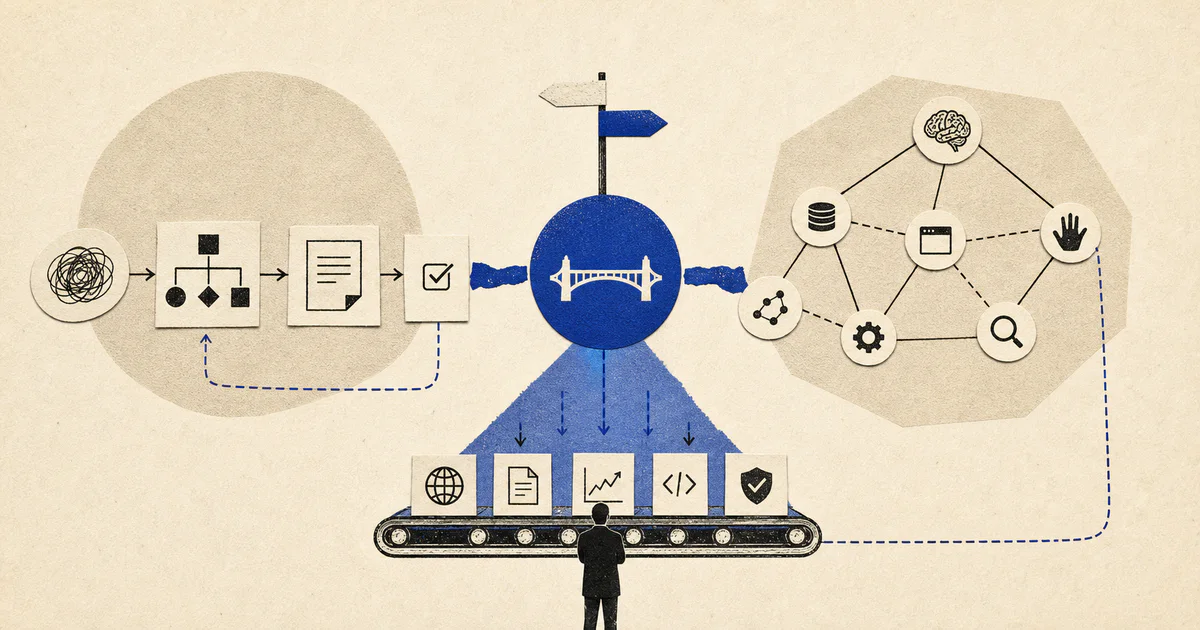
Short answer: choose OpenAI Agents SDK when you want a lightweight, OpenAI-native way to build agents with tools, handoffs, guardrails, sessions, and tracing. Choose LangGraph when your workflow needs durable state, explicit control flow, branching, retries, human review, and complex multi-step orchestration.
For many production systems, the best answer is not one or the other. A team can use LangGraph as the orchestration layer and use OpenAI Agents SDK inside specific nodes or tasks where OpenAI-native agent execution is the right fit.
At V12 Labs, we think about this less as a framework debate and more as a workflow architecture decision: what needs to be automated, where state must live, where humans need control, and what happens when the model is wrong.
Quick comparison
| Question | OpenAI Agents SDK | LangGraph |
|---|---|---|
| Best fit | OpenAI-native agent workflows | Stateful, durable, multi-step agent workflows |
| Primary strength | Fast agent construction around OpenAI models, tools, handoffs, guardrails, sessions, and tracing | Explicit graph orchestration, state management, branching, persistence, and human-in-the-loop patterns |
| Control flow | Good for agent/tool/handoff patterns | Stronger for complex workflow control and state transitions |
| Production durability | Useful built-in primitives, especially tracing and guardrails | Often stronger when the workflow needs resumability, checkpoints, retries, or long-running state |
| Human review | Can be implemented around agent actions and guardrails | Natural fit for approval gates and interrupt/resume workflows |
| Browser automation | Calls browser tools; does not replace browser automation | Orchestrates browser steps; does not replace browser automation |
| Vendor coupling | More OpenAI-native | More model/provider-flexible |
| Use both? | Yes | Yes |
What OpenAI Agents SDK is good at
OpenAI describes the Agents SDK as a framework for building agentic applications with primitives such as agents, tools, handoffs, guardrails, sessions, and tracing.
That makes it useful when the workflow is centered on OpenAI models and you want to move quickly from a prompt-and-tool prototype into a more structured agent implementation.
OpenAI Agents SDK is a strong fit when you need:
- An agent that can call defined tools
- Clear handoffs between specialized agents
- Guardrails around inputs or outputs
- Session support for conversational or multi-turn workflows
- Tracing to inspect what the agent did
- A straightforward OpenAI-native development path
For example, a revenue operations team might use an OpenAI agent to classify inbound requests, call a CRM lookup tool, draft a response, and hand the task to another agent or human reviewer when confidence is low.
The main tradeoff is that OpenAI Agents SDK is most compelling when you are already comfortable building inside the OpenAI ecosystem. If you need provider flexibility, long-running workflow state, or highly explicit orchestration, you may want a separate orchestration layer.
What LangGraph is good at
LangGraph is designed for stateful, graph-based agent and workflow applications. Instead of treating an agent as one continuous loop, LangGraph lets teams define nodes, edges, state, conditional transitions, and persistence patterns.
That makes it especially useful when the workflow has multiple steps that must be controlled, resumed, audited, or approved.
LangGraph is a strong fit when you need:
- Explicit workflow state
- Branching logic
- Multi-agent coordination
- Human approval steps
- Checkpointing or resumability
- Long-running workflows
- Model/provider flexibility
- More control over what happens after each step
For example, a customer operations workflow may need to classify an issue, retrieve account context, decide whether to open a ticket, draft a reply, pause for human approval, update a system of record, and notify the customer. That is less of a single-agent problem and more of an orchestrated workflow problem.
LangGraph tends to be the safer production foundation when the agent cannot simply “try again” from scratch. If the workflow modifies customer data, moves money, changes CRM fields, sends external messages, or triggers operational work, explicit state and approval gates matter.
OpenAI Agents SDK vs LangGraph for production workflows
The practical difference is this:
- OpenAI Agents SDK helps you build the agent.
- LangGraph helps you control the workflow around the agent.
That distinction matters in production.
A demo agent can often be a single loop: receive task, reason, call tools, respond. A production workflow usually needs more structure:
- What state does the system need before the model runs?
- Which tools can the model call?
- What happens if a tool call fails?
- Which actions require human approval?
- Can the workflow resume later?
- How is the run traced and audited?
- What system of record is updated?
- What happens when the model output is incomplete or unsafe?
OpenAI Agents SDK gives teams useful agent-building primitives. LangGraph gives teams a strong way to model the workflow as a state machine or graph. In many real deployments, those are complementary needs.
Where browser automation fits
Browser automation is often misunderstood in agent discussions.
Neither OpenAI Agents SDK nor LangGraph replaces browser automation tools such as Playwright, Selenium, browser APIs, or purpose-built RPA/browser-control systems. Instead, they can coordinate when and how those tools are used.
A production browser-agent workflow usually has three layers:
- Browser execution layer: the system that clicks, types, extracts page data, uploads files, or navigates web apps.
- Agent reasoning layer: the model-driven component that interprets instructions, selects tools, or drafts next actions.
- Workflow orchestration layer: the control system that tracks state, retries failures, pauses for review, and records outcomes.
OpenAI Agents SDK can work well in the reasoning layer. LangGraph can work well in the orchestration layer. Browser tools handle the actual browser interaction.
For sensitive workflows, human review should appear before irreversible actions such as submitting forms, sending messages, changing account settings, deleting records, or updating customer-facing data.
When to choose OpenAI Agents SDK
Choose OpenAI Agents SDK when:
- Your system is primarily OpenAI-based
- You want a lightweight framework for agents and tools
- You need handoffs between specialized agents
- You want guardrails and tracing built into the agent development flow
- Your workflow is relatively contained
- You do not need a complex durable graph around every step
Good examples include:
- Internal assistant workflows
- Research and summarization agents
- Tool-using support assistants
- CRM enrichment helpers
- Drafting and classification workflows
- Agent prototypes that may later move into a larger orchestration system
OpenAI Agents SDK is often the faster starting point when the main question is, “Can this agent perform the task with the right tools and guardrails?”
When to choose LangGraph
Choose LangGraph when:
- The workflow has many steps or branches
- State must persist across the run
- You need human-in-the-loop approval
- You need checkpointing, resuming, or retry behavior
- Different agents or tools need to coordinate
- You want more model/provider flexibility
- The workflow touches production systems of record
Good examples include:
- Customer support resolution workflows
- Sales operations automations
- Onboarding workflows
- Multi-step research and reporting pipelines
- Compliance-sensitive review systems
- Browser workflows that need pause/resume and auditability
LangGraph is often the better foundation when the main question is, “How do we make this workflow reliable, observable, and controllable in production?”
When to use both
Using both can make sense when each tool has a clear job.
One common pattern:
- LangGraph manages the overall workflow state, routing, retries, and human approval.
- OpenAI Agents SDK powers a specific agent step inside the workflow.
- Browser automation or API tools execute actions against external systems.
- A product layer gives operators a way to review, approve, and correct outputs.
For example:
- LangGraph starts a customer onboarding workflow.
- A node gathers account data from internal systems.
- An OpenAI agent drafts a personalized onboarding plan.
- LangGraph routes low-confidence cases to human review.
- A browser/API tool updates the CRM only after approval.
- The workflow logs the decision and continues to the next step.
This architecture avoids forcing one framework to solve every problem.
Practical decision framework
Use this checklist before choosing a framework:
1. Is this an agent problem or a workflow problem?
If the core challenge is tool use, reasoning, handoffs, and model behavior, start with OpenAI Agents SDK.
If the core challenge is state, branching, retries, approvals, and long-running execution, start with LangGraph.
2. How much state does the workflow need?
Simple state can live inside an agent session or application database. Complex state usually benefits from explicit workflow modeling.
3. What can go wrong?
If failure only produces a bad draft, the system can be simple. If failure updates a customer record, sends an email, submits a form, or triggers downstream work, you need stronger controls.
4. Where do humans need to review?
Human review should not be an afterthought. Design it into the workflow before irreversible actions.
5. How important is provider flexibility?
If you expect to use multiple model providers, LangGraph may be a better neutral orchestration layer. If you are standardizing on OpenAI, OpenAI Agents SDK may reduce complexity.
Bottom line
OpenAI Agents SDK and LangGraph solve overlapping but different problems.
- Use OpenAI Agents SDK when you want a focused, OpenAI-native agent framework.
- Use LangGraph when you need durable, stateful orchestration for production workflows.
- Use both when LangGraph should control the workflow and OpenAI Agents SDK should power specific agent steps.
The best production agent systems are rarely just “an agent.” They are workflow systems with clear state, controlled tools, review points, observability, and a product surface for the humans who still need to make decisions.
If you are designing a production AI workflow, V12 Labs can help map the workflow before you build. See our work on AI workflow systems, AI-native product engineering, and our notes on production AI agent architecture.