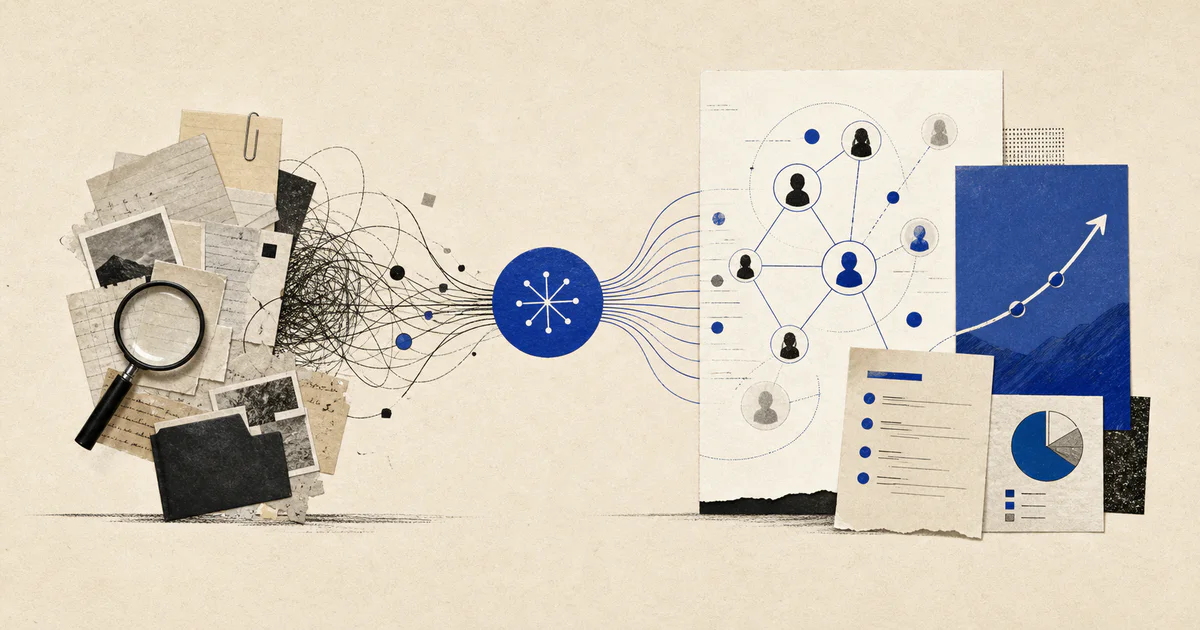
AI Account Planning Automation: How Customer Success Teams Prepare Renewal and Expansion Plans Faster

By V12 Labs9 min read
#AI account planning automation#customer success account planning#strategic account planning automation#renewal planning automation#expansion planning automation

Short answer

AI account planning automation helps customer success teams gather account context, map risks and stakeholders, and prepare clearer renewal and expansion plans without manual account archaeology.

Customer success teams do not usually struggle with account planning because they lack opinions.

They struggle because the account story is scattered, the risks are moving, and the plan has to be rebuilt from too many systems every time a renewal or expansion conversation gets serious.

One stakeholder went quiet after an escalation. Product usage improved in one team but stalled in another. The champion wants a broader rollout, but support history suggests the account is still carrying unresolved friction. All of that matters, but it rarely lives in one usable place.

That is the operational problem AI account planning automation solves.

Short answer: AI account planning automation helps customer success teams gather account context, identify risks and growth signals, map the right stakeholders, and prepare a structured renewal or expansion plan before the account review turns reactive.

If your team is already working on AI QBR preparation, AI renewal automation, or AI upsell automation, account planning usually sits between those workflows. If you want that process to become a production system with integrations, review points, and controls, it is usually part of a broader AI workflow systems engagement.

What AI account planning automation actually means

AI account planning automation is an AI workflow that prepares the working plan for how an account team should protect, grow, or recover a customer relationship.

In practice, the workflow usually:

  • gathers customer history from the CRM, support platform, product analytics, and meeting notes
  • identifies what changed across adoption, stakeholder engagement, open risks, and contract timing
  • maps likely renewal, retention, and expansion scenarios
  • drafts a structured account plan with recommended next actions
  • routes the plan to the account owner, CSM, AE, or manager for review

The useful output is not "account looks healthy."

The useful output is a reviewable plan that says what matters now, what could go wrong, where the growth path is, and what the team should do next.

Why account planning is still so manual

Most teams do some form of account planning already.

The problem is that it is often half strategy and half reconstruction.

Before a real planning conversation can happen, someone has to answer questions like:

  • Which stakeholders matter right now?
  • What outcomes did the customer originally buy for?
  • What changed since the last review?
  • What risks threaten the renewal?
  • Is the account ready for expansion or still stabilizing?
  • What proof of value is credible enough to use?

That work is slow because the evidence lives across too many places:

  • CRM notes
  • support tickets and escalations
  • onboarding records
  • product usage trends
  • QBR decks and call summaries
  • emails and Slack threads

This is why strong AI account research automation often becomes an upstream input. The planning problem is usually not lack of data. It is lack of one current operating view.

What should be inside a good AI-generated account plan?

A useful account plan should help a team make decisions, not just document background.

1. Current account state

The plan should summarize:

  • adoption health
  • open blockers
  • support friction
  • executive engagement
  • implementation status
  • overall account trajectory

This is where AI customer health scoring becomes useful, but health alone is not enough. Planning needs explanation, not just a score.

2. Stakeholder map and relationship risk

Many account plans fail because the team knows the product story but not the relationship story.

The workflow should surface:

  • executive sponsor status
  • champion strength
  • new stakeholders entering the account
  • inactive or missing decision-makers
  • cross-functional teams affected by the rollout

That matters because a technically healthy account can still become commercially fragile if the wrong stakeholder disappears.

3. Renewal risk and retention priorities

The plan should make clear:

  • what could threaten the renewal
  • which risks are operational versus political
  • what must be resolved before the renewal window tightens
  • whether the account needs a save plan, a stabilization plan, or a standard path

If the team is already building AI renewal automation, this planning layer is where the risk signal becomes a concrete operating response.

4. Expansion path and timing

Not every healthy account is expansion-ready.

The workflow should evaluate:

  • where adoption is broadening
  • whether another team or business unit is showing interest
  • what product or service expansion is actually relevant
  • whether unresolved friction makes the timing wrong
  • what proof points the account team should use

That is why planning sits so close to AI upsell automation. Upsell workflows detect opportunity signals. Account planning decides how the team should act on them.

The best plan ends with clear execution.

That usually includes:

  • who owns the next customer conversation
  • which stakeholders need outreach
  • what internal blockers need escalation
  • what proof of value should be prepared
  • whether the next motion is retention, adoption, expansion, or executive alignment

When is AI account planning automation worth building?

It is usually worth building when account planning is operationally important but manually inconsistent.

Common signals include:

  • renewal strategy depends too much on rep or CSM memory
  • QBR prep creates the same account summary work every quarter
  • different teams disagree on whether an account is risky or ready to grow
  • important stakeholder changes are noticed too late
  • account plans exist as slides or docs that go stale immediately

If the current workflow keeps producing stale spreadsheets, ad hoc notes, and late escalations, the problem is usually not that the team needs better templates. The team needs a better system.

A practical workflow design for AI account planning automation

For most teams, the first production version should stay narrow and inspectable:

  1. A trigger starts the workflow: upcoming renewal, QBR date, expansion review, or executive account check-in.
  2. The system gathers CRM context, support history, product usage, stakeholder notes, and recent meeting summaries.
  3. AI identifies changes, risks, relationship shifts, and growth signals.
  4. Business rules check for missing fields, unresolved escalations, or stale ownership.
  5. The workflow drafts the account plan with recommended next actions and confidence notes.
  6. The account owner or manager reviews before the plan is shared or used for outreach.
  7. Final decisions and follow-up tasks sync back into the CRM or customer-success tooling.

In one sentence, the workflow is:

planning trigger -> gather account context -> detect risk and growth signals -> draft account plan -> human review -> sync next actions

What to automate first

Do not start by trying to automate every strategic decision.

Start with the parts that repeatedly waste senior team time.

1. Account brief assembly

This is usually the highest-value first step.

The system prepares:

  • current account summary
  • stakeholder map
  • top renewal risks
  • top expansion signals
  • unresolved blockers
  • recommended next review topics

That removes the blank-page work before planning can even begin.

2. Stakeholder-change detection

Many account teams miss important relationship movement because no one is watching for it systematically.

Useful signals include:

  • new executives joining calls
  • champions going quiet
  • support contacts becoming more active than business owners
  • procurement or security involvement increasing

Those shifts often matter as much as product usage.

3. Renewal and expansion action planning

Once the brief is reliable, the workflow can prepare:

  • retention play recommendations
  • executive escalation suggestions
  • proof-of-value preparation notes
  • likely expansion paths
  • owner-specific follow-up tasks

That keeps the plan connected to action instead of turning into another internal document nobody uses.

What should stay human?

AI should prepare the planning work.

It should not fully own strategic judgment.

Human owners should still decide:

  • whether the account has earned an expansion conversation
  • how directly to frame renewal risk
  • when internal escalation is necessary
  • which stakeholder sequence is politically right
  • whether the plan reflects real-world nuance or just tidy data

That is the line between useful strategic account planning automation and a workflow teams stop trusting.

Common mistakes in AI account planning automation

Treating the plan like a document-generation problem

A better document is not the main win.

The real win is better evidence gathering, cleaner account context, and more consistent decision preparation.

Flattening risk and growth into one label

An account can be healthy in one dimension and dangerous in another.

For example:

  • adoption is rising, but the sponsor left
  • support volume is down, but procurement is stalled
  • expansion interest exists, but onboarding work is still unfinished

A trustworthy planning workflow should preserve those tensions instead of pretending the account fits one simple bucket.

Ignoring the operating path after the plan

If the plan does not create follow-up tasks, ownership, or CRM updates, it becomes a polished dead end.

Planning is only useful if it changes what the team does next.

When a team needs product engineering, not just workflow automation

Some account-planning workflows outgrow a simple automation layer.

If the team needs:

  • a persistent planning dashboard
  • role-based review and approvals
  • audit history across plan changes
  • custom views for CSMs, AEs, and leadership
  • integrated reporting on plan quality and outcomes

then the right next step may be a dedicated internal tool or product layer through AI-native product engineering, not only a background automation.

FAQ

What is AI account planning automation?

AI account planning automation is a workflow that gathers account context, identifies risks and opportunities, and drafts a structured plan for renewal, retention, or expansion decisions.

Is AI account planning automation the same as QBR preparation?

No. QBR preparation focuses on assembling a review. Account planning is broader. It turns account evidence into a recommendation for what the team should do next.

What tools does an AI account planning workflow usually connect to?

Most systems connect to the CRM, support platform, product analytics, meeting notes, onboarding records, and the internal tools where account owners manage follow-up work.

When should customer success teams build this?

It is usually worth building when renewal and expansion planning is manual, inconsistent, or too dependent on individual memory, and the account story is spread across too many systems.

What is the first version most teams should launch?

The best first version is usually an account-brief workflow that gathers evidence, maps stakeholders and risks, drafts the plan, and leaves the final decision to the account owner.

Common questions

What is the short answer on AI account planning automation?

AI account planning automation helps customer success teams gather account context, map risks and stakeholders, and prepare clearer renewal and expansion plans without manual account archaeology.

Who should read this guide on AI account planning automation?

This guide is for founders, operators, and revenue or customer teams deciding whether an AI workflow, AI agent, or custom product system is the right way to remove manual work.

What should I do after reading this?

Map the workflow, identify the repeated manual steps, decide where human review is still needed, and compare that workflow against V12 Labs' AI workflow systems and AI-native product engineering services.

Where this fits