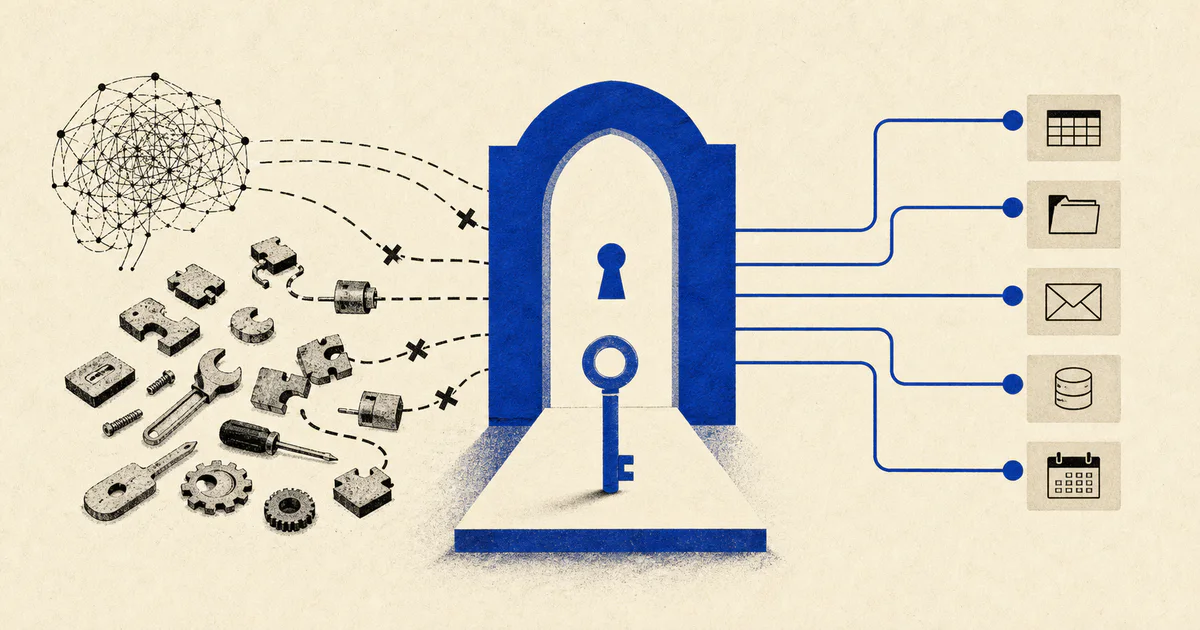
Most AI agent demos break in the same place.
Not at reasoning.
Not at prompt design.
Not even at retrieval.
They break the moment the agent needs to do something real inside a user's tools.
Reading Gmail. Creating a calendar event. Pulling a file from Google Drive. Posting into Slack. Updating a CRM. Opening a support ticket. Creating a Zoom link. Triggering some internal action behind auth.
That is where the clean demo architecture usually collides with production reality:
- the tool needs OAuth
- the credentials belong to a specific user
- permissions differ by account
- tokens expire
- the agent should act on behalf of the user, not as one giant shared service account
- auditability suddenly matters
This is why Arcade is one of the more interesting AI infrastructure products to watch.
Arcade sits in a part of the stack that many teams underestimate: authorized tool calling for AI agents.
If you are building agentic systems that need to access third-party apps securely, this problem shows up earlier than most people expect.
And if you do not solve it properly, the agent never really graduates from prototype to operational system.
At V12 Labs, this is the line we care about most:
can the system do useful work inside real workflows without turning auth, permissions, and external actions into a reliability mess?
That is where a product like Arcade becomes relevant.
What Arcade actually does
Arcade is an agent tooling platform focused on secure, authorized tool execution.
In practical terms, the product is built around a simple need:
your AI agent wants to call tools that require authentication, and those actions need to happen in the right user context.
Arcade's current docs and product positioning emphasize:
- handling OAuth 2.0 flows
- supporting API keys and user tokens
- managing authorization for tools used by agents
- letting agents execute actions on behalf of end users
- working with common agent frameworks and LLM stacks
That sounds like a plumbing layer, because it is.
But this is exactly the kind of plumbing that determines whether an agent is actually deployable.
Anyone can make an agent summarize text.
The harder question is whether the agent can securely:
- read the right inbox
- create the right meeting
- update the right account
- access the right documents
- do all of that with the correct user-level permissions
That is not a prompt problem. It is a systems problem.
Why this category matters more than "better prompts"
The AI product conversation is still overly model-centric.
Teams spend weeks debating:
- which model to use
- how to tune prompts
- whether to add RAG
- which agent framework feels best
Those decisions matter.
But once your system leaves the sandbox, a different set of constraints takes over:
- identity
- authorization
- external integrations
- side effects
- monitoring
- human review
- failure handling
This is especially true for business workflows.
Most valuable agents are not isolated chatbots. They sit inside operating paths where they need to fetch context, make recommendations, draft outputs, and often take action across multiple systems.
For example:
- a support assistant reads account notes, checks product usage, drafts a response, and opens an escalation
- a sales workflow qualifies inbound, enriches the company, updates the CRM, and drafts follow-up
- an onboarding system reads kickoff notes, creates tasks, schedules meetings, and routes blockers
The model is only one part of that chain.
The tool layer is where trust is won or lost.
The real problem Arcade solves
When people say "tool calling," they often picture the easy part:
the model chooses a function and passes structured arguments.
That is not the hard part.
The hard part starts right after:
- who is allowed to use this tool?
- which account should it access?
- does this user already have authorization?
- how do you trigger auth if they do not?
- how do you safely store and refresh credentials?
- how does the agent know whether a call failed because of permissions, expired auth, bad inputs, or a downstream API issue?
If you build this yourself from scratch, you are not just building an agent.
You are also building:
- an identity boundary
- an auth orchestration layer
- a credential lifecycle system
- integration wrappers
- some version of tool policy and execution control
That is a lot of surface area for a team whose actual goal might just be "build an onboarding agent" or "build a support triage system."
Arcade is interesting because it narrows that gap.
Where Arcade fits in a production AI architecture
This is the useful mental model:
- the LLM decides what kind of action is needed
- the tool layer exposes what can be done
- the authorization layer ensures the action can happen with the right identity
- the application/workflow layer decides when to allow automation, require review, log activity, and update system state
Arcade primarily strengthens the third layer.
That matters because agent systems often fail when developers blur these responsibilities together.
For example:
- the prompt is asked to enforce business permissions
- a shared backend token is used instead of user-scoped access
- authorization is handled outside the workflow and breaks mid-run
- tool failures are treated like model failures
- the product has no clean handoff when a user must connect an account
That architecture works in a demo.
It is fragile in production.
We would rather keep the boundaries explicit:
- the model decides
- the app governs
- the workflow tracks state
- the integration layer executes
- the auth layer proves the action is allowed
That separation is one reason products like Arcade matter.
Why this is useful for AI agents specifically
Traditional SaaS integrations already had OAuth pain.
Agent systems make it worse for three reasons.
1. Agents increase the number of possible actions
A normal product integration might expose a small set of fixed buttons.
An agent can dynamically decide when to:
- search mail
- fetch documents
- create records
- send messages
- schedule meetings
- run multi-step sequences across apps
That means auth cannot be bolted on as an afterthought.
It has to be a first-class part of the runtime.
2. Agents need to act in user context
Many high-value workflows only make sense if the agent can act as the specific user or operator involved.
A founder's Gmail is not the same as an SDR's Gmail.
A support manager's Zendesk permissions are not the same as a junior rep's.
A success lead may be allowed to edit renewal notes while another teammate is not.
This is why the "just use one service account" shortcut breaks so quickly.
3. Agents create ambiguous failures
If a normal automation fails, the workflow path is usually narrower and easier to inspect.
If an agent fails, the cause may live in several places:
- the model picked the wrong tool
- the inputs were weak
- the tool executed against the wrong account
- the user never completed auth
- the token expired
- the downstream API changed behavior
Products that make authorization state cleaner and more explicit help reduce that ambiguity.
Where we would use Arcade
Not every AI product needs it.
But there are clear patterns where it becomes attractive fast.
1. Internal copilots that must operate across SaaS tools
If you are building an internal operator assistant that needs to work in Gmail, Google Calendar, Slack, Notion, HubSpot, Linear, or similar tools, auth complexity shows up immediately.
This is especially true if the assistant should do more than read data.
The moment it needs to act, identity becomes part of the product.
2. Customer-facing agents that operate on behalf of each tenant's users
Multi-tenant agent products are where homegrown auth glue often becomes a bottleneck.
Every customer expects:
- secure account connection
- isolation from other tenants
- predictable permissions
- revocable access
- confidence that the agent is only acting where it should
If your product promise depends on cross-tool execution, this layer becomes strategic.
3. AI workflow systems with approval gates
At V12 Labs, we rarely recommend fully autonomous execution for messy business processes on day one.
The better pattern is often:
- the system gathers context
- drafts or recommends the next action
- a human reviews when necessary
- the tool executes with proper authorization
That means the tool/auth layer must be dependable even when there are human approval pauses or resumed workflow runs.
4. Agent products where integration speed matters
A lot of teams want to test workflow value before sinking months into custom auth and integration infrastructure.
If the real question is "will this support/onboarding/sales workflow create leverage?", then spending the first sprint rebuilding OAuth scaffolding is usually the wrong move.
Infrastructure products that compress time-to-integration are valuable precisely because they let the team test the operating model faster.
What founders and product teams usually get wrong here
Three mistakes show up repeatedly.
1. They think tool calling is the same as production integration
It is not.
A model emitting a function call proves almost nothing about the reliability of the surrounding system.
Real integration work includes:
- auth state
- user context
- permission boundaries
- retries
- auditability
- UI flows for account connection
The function schema is the easy part.
2. They use shared credentials for everything
This can be acceptable in tightly scoped internal automations.
It is dangerous as a default for user-facing or multi-user systems.
The moment the product needs correct per-user behavior, shared auth becomes a liability.
3. They over-automate before defining review boundaries
If the agent can send email, edit records, or trigger downstream workflows, then you need to be explicit about:
- what it may do automatically
- what requires approval
- how actions are logged
- how users recover from mistakes
Arcade can help with authorized execution, but your product still needs operational judgment.
That is why we keep coming back to the same principle:
an agent is not the product. The operating system around the agent is the product.
When Arcade is probably not necessary
You do not need this kind of layer if your system is mostly:
- a research assistant with no side effects
- a single-tenant internal tool with one controlled credential source
- a narrow prototype where no user-specific authorization is involved
- a workflow that only touches your own backend systems
In those cases, direct integrations may be perfectly fine.
The need appears when the product moves from "the model can call tools" to "the model must safely call tools for real users in production."
That is a different engineering problem.
The bigger lesson
Arcade is interesting not only because of its product.
It is interesting because it points at a broader truth in the agent stack:
the next wave of useful AI products will be won less by raw model cleverness and more by infrastructure that makes actions trustworthy.
That includes:
- auth
- permissions
- observability
- memory
- workflow state
- human review
- safe execution boundaries
These are not glamorous layers.
They are still where production systems become real.
If you are building AI agents that need to work across SaaS tools, Arcade is worth studying because it addresses one of the least exciting and most important parts of the stack.
And if you are evaluating whether your workflow needs an agent at all, start here first:
not "can the model decide what to do?"
but "can the system take action safely, in the right context, with the right controls?"
That question will usually tell you more about production readiness than another week of prompt tuning.
If your team is trying to turn a messy manual workflow into a production AI system, that is exactly the work we do at V12 Labs: mapping the workflow, deciding where autonomy belongs, and building the integrations, review paths, and controls that make the system usable in the real world.